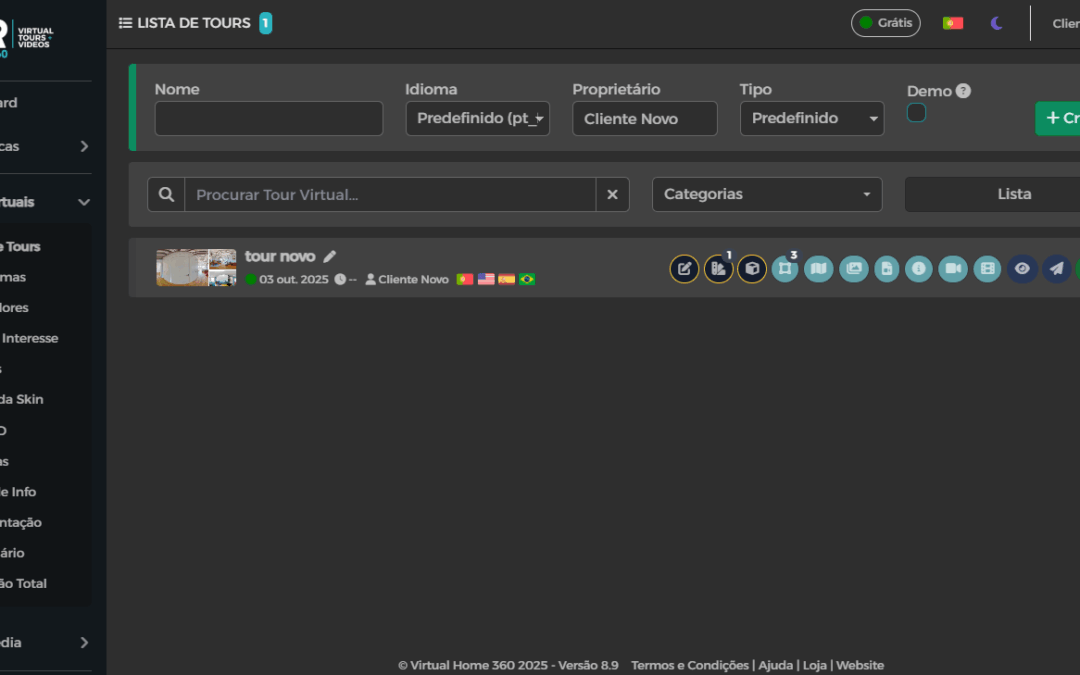
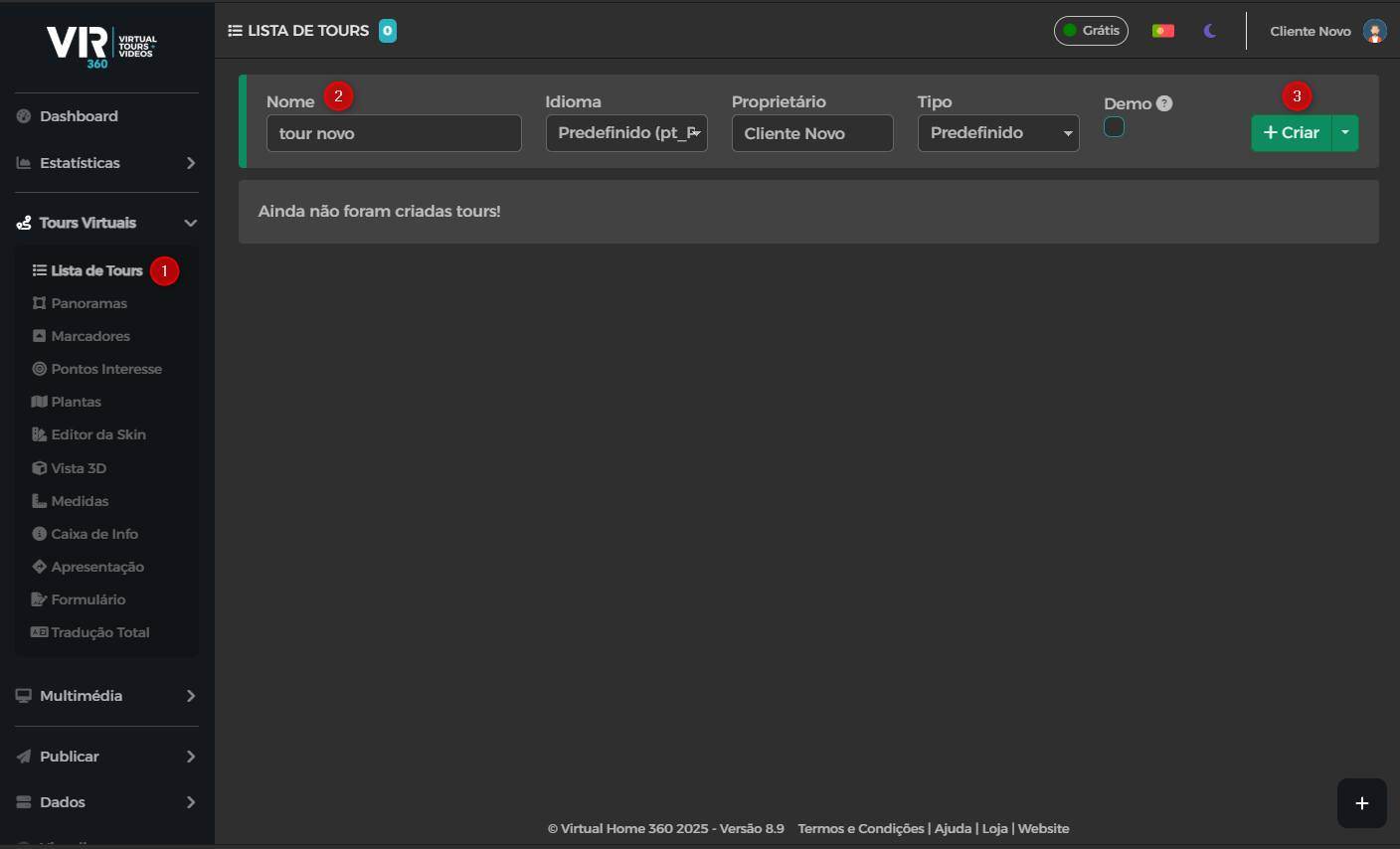
To start creating a virtual tour you must be on the List of Tours.
Write the Name of the Tour in the appropriate box and then click on the button "+ Create"
Next, a window appears that asks if you want to put your 360 photos.
Choose the checked option to proceed to the next step.
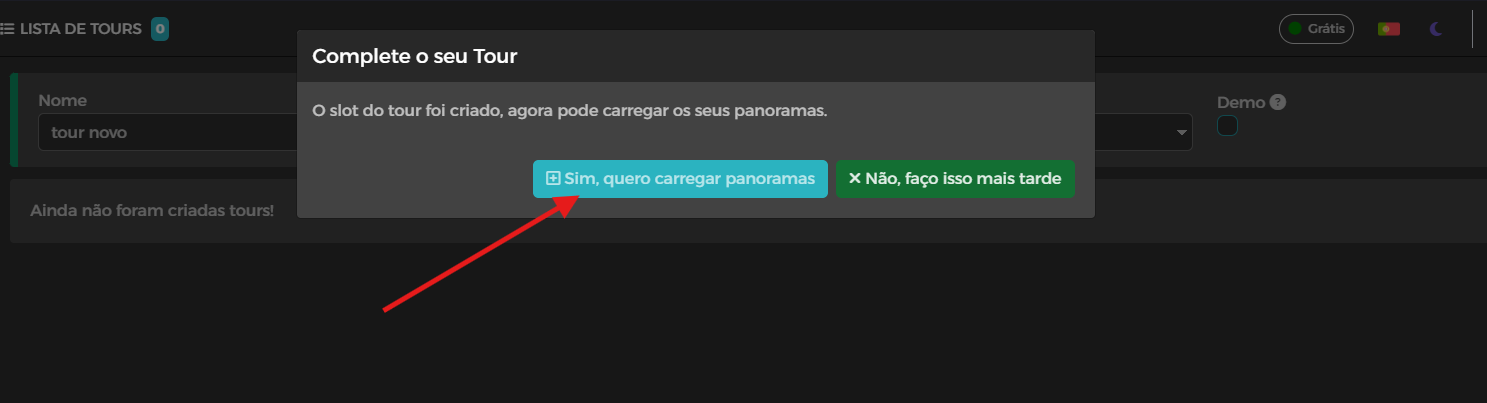
By clicking on the indicated option, you automatically go to the upload page.
Just drag the photos into the upload box and wait for this upload process to end.
Caution, if you leave this page, it is possible that there are errors in the process of uploading the photos.
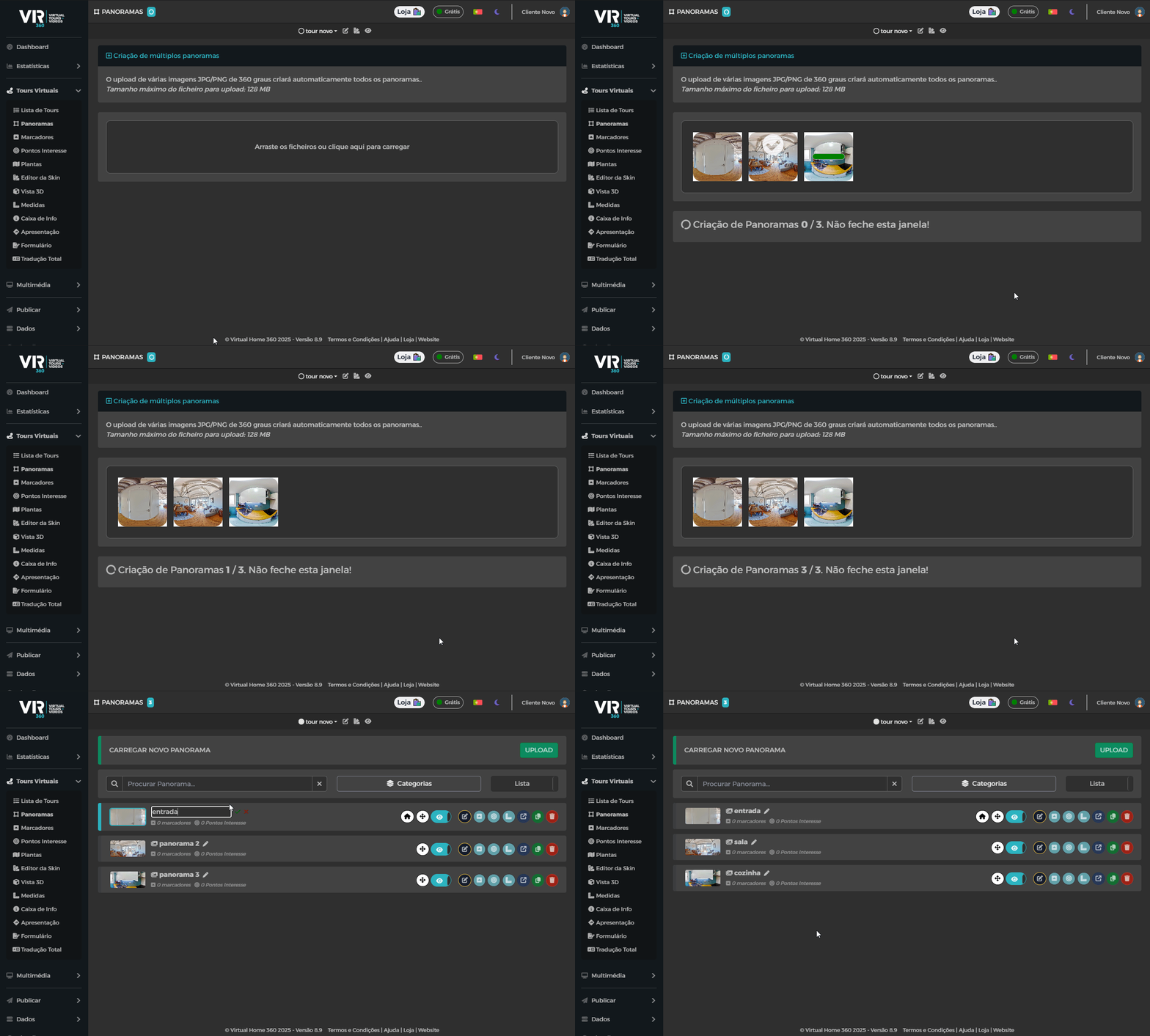
Now that the photos are on the tour, it is possible to organize the photos, that is, give them a name appropriate to the division they represent and also order their position.
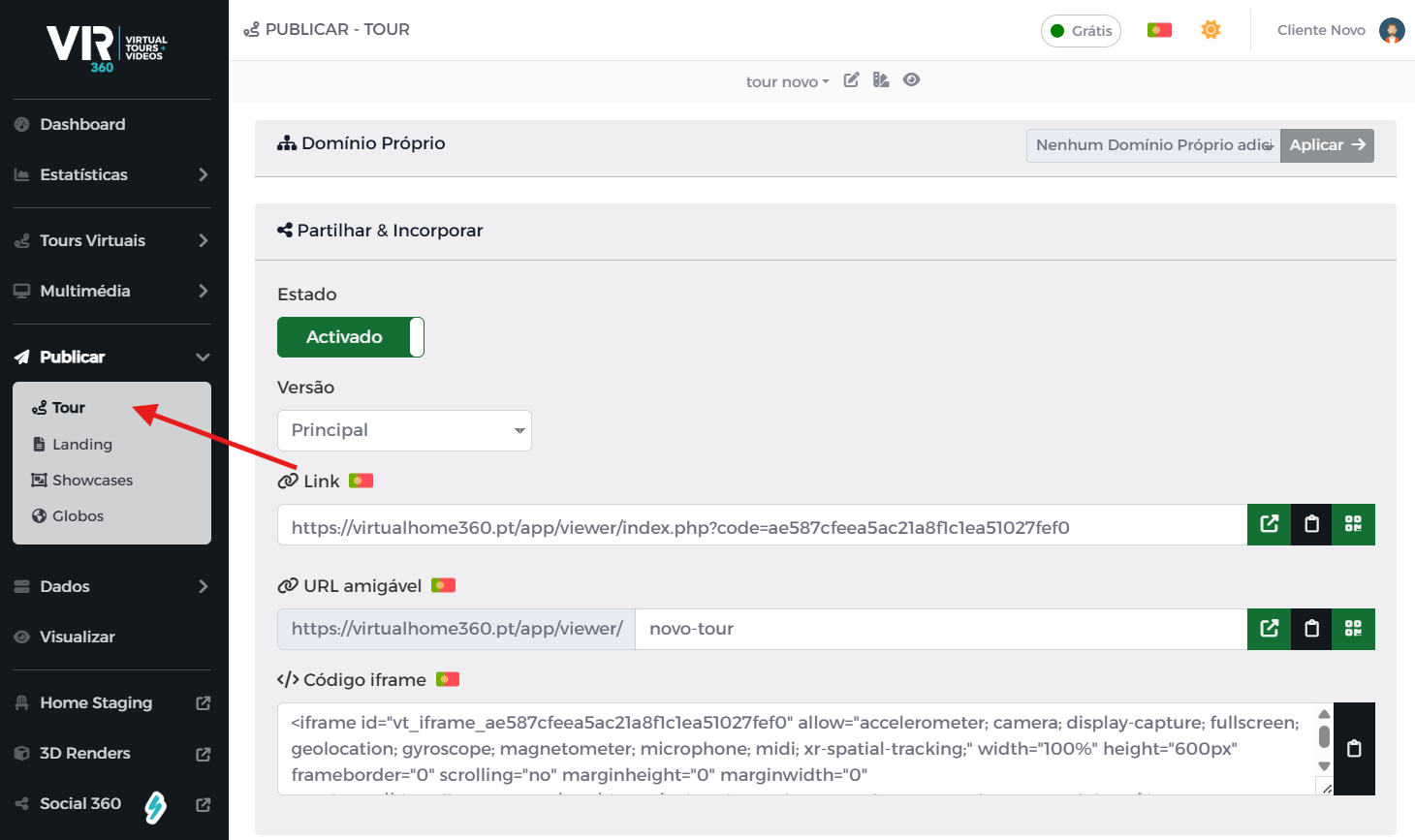
From this moment on, you can start to place markers to make the connection between panoramas and with the sharing link The tour can now host it on your CRM and advertise it on your social networks. (Experience the Social 360 for this purpose)
Or you can order a MOST service that we We Assemble Your Tour.