Do you have a photo of a property and want to transform it with the Virtual Home 360 image AI tools?
This guide is your copy/service folder. Choose the scenario you need, copy the prompt and paste directly into the tool. No complications.
🛋ក Scenario 1 - Home Staging Virtual (mobilising an empty space)
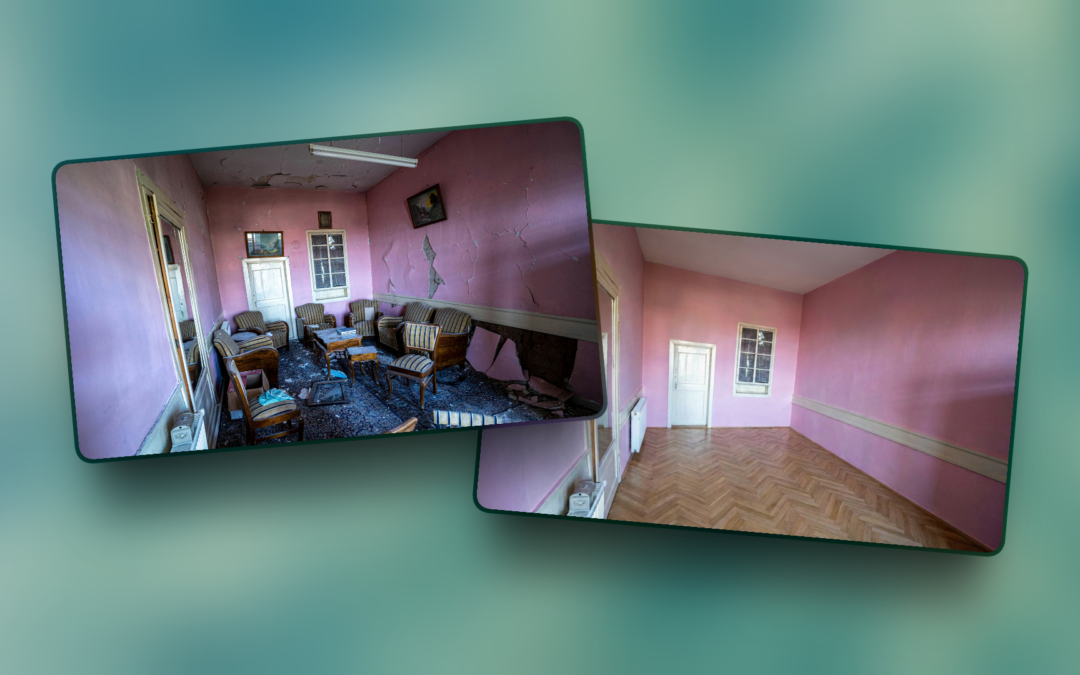
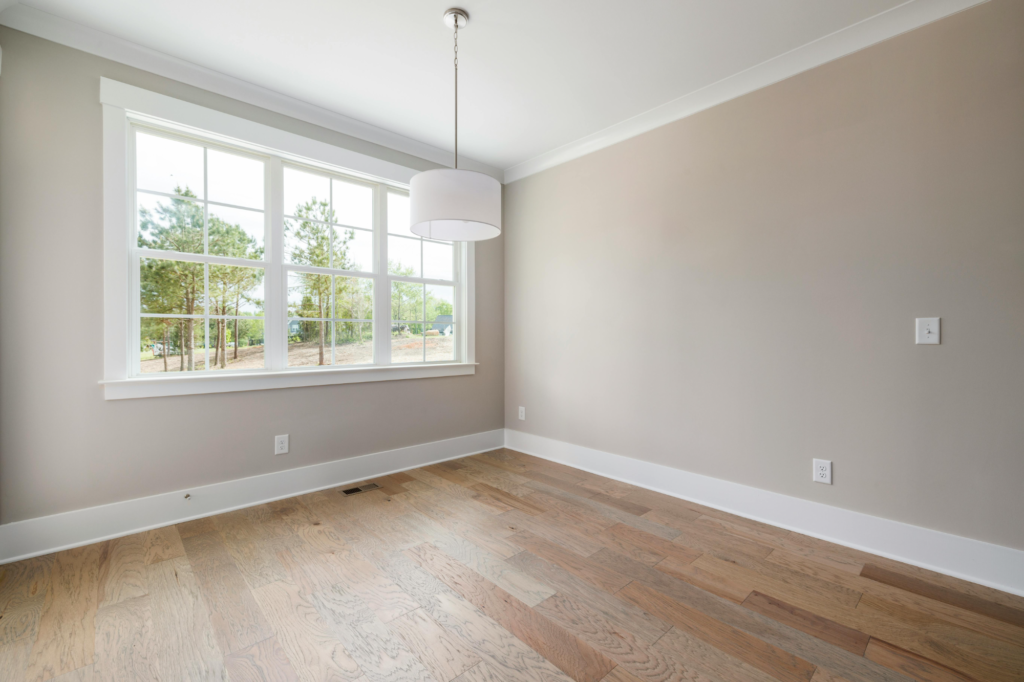
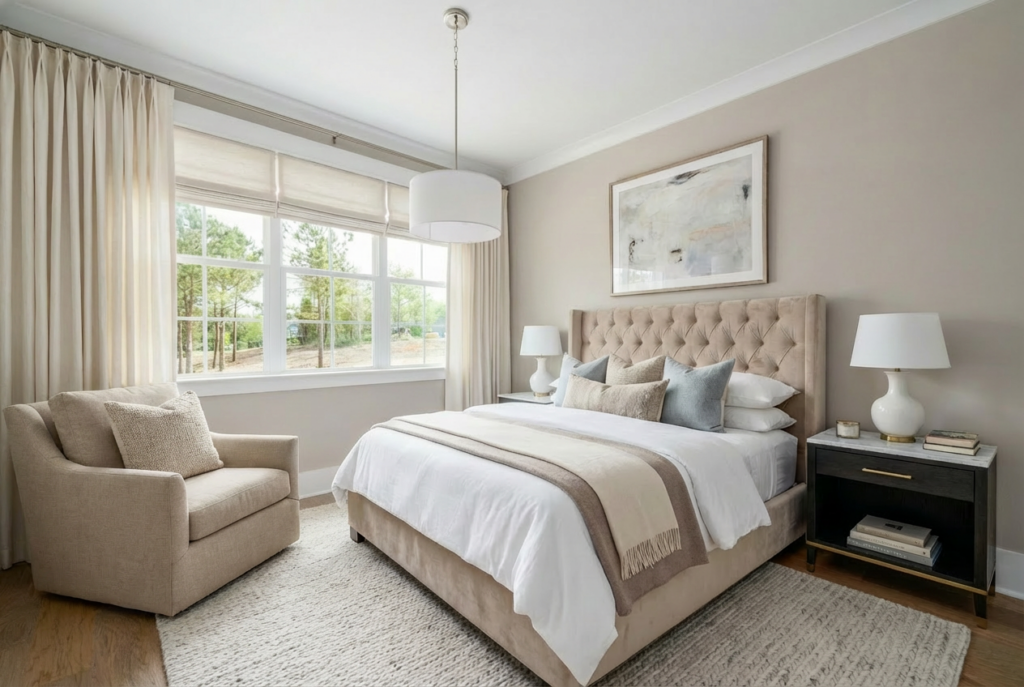
It has a picture of a completely empty room and wants to show the client how it could be furnished.
Prompt base:
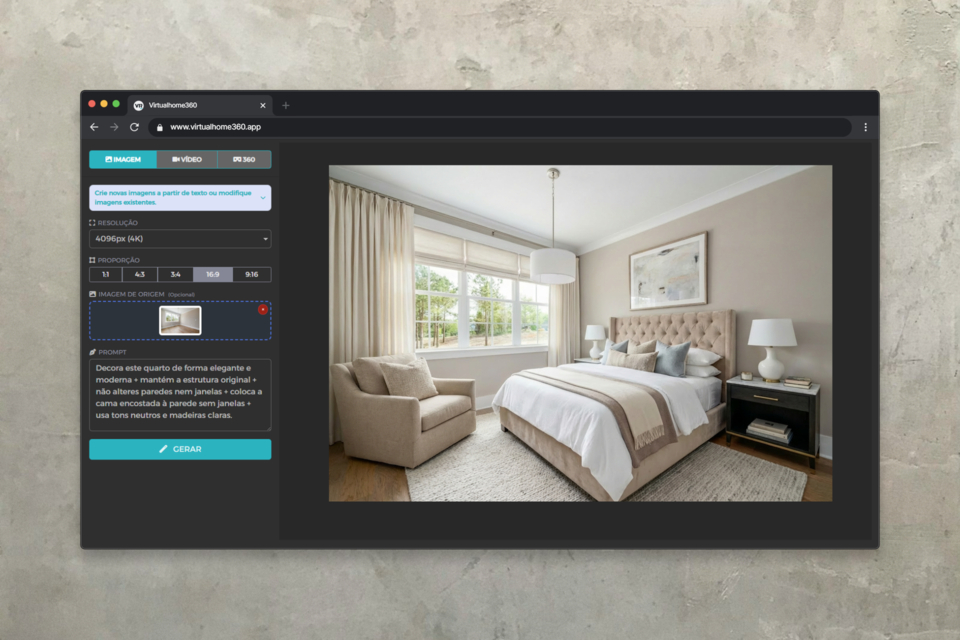
It does virtual home staging in this empty room, transforming it into a modern living room. Adds contemporary furniture: sofa, center table and carpet. Keeps the walls, floor and windows exactly as they are. Style: Scandinavian minimalism. The lighting shall be consistent with the natural light in the photograph.
Variants by style:
- Contemporary luxury:
It does virtual home staging in this empty room like a luxury living room. Adds contemporary high-end furniture: velvet sofa, marble center table and highlight lighting. Maintains the original architecture. Style: Sophisticated urban chic. - Family / functional:
It does virtual home staging in this empty room as a familiar and functional living room. Includes comfortable sofa, practical storage and warm tones. Style: Cozy Scandinavian. Keeps original floor and walls unchanged. - Investor / neutral:
It does virtual home staging in this empty room with neutral and universally appealing furniture. Minimal decoration, neutral palette (beige, white, grey). Style: Timeless and ready for sale. Do not alter any structural elements.
🔄 Scenario 2 — Existing Furniture Replacement
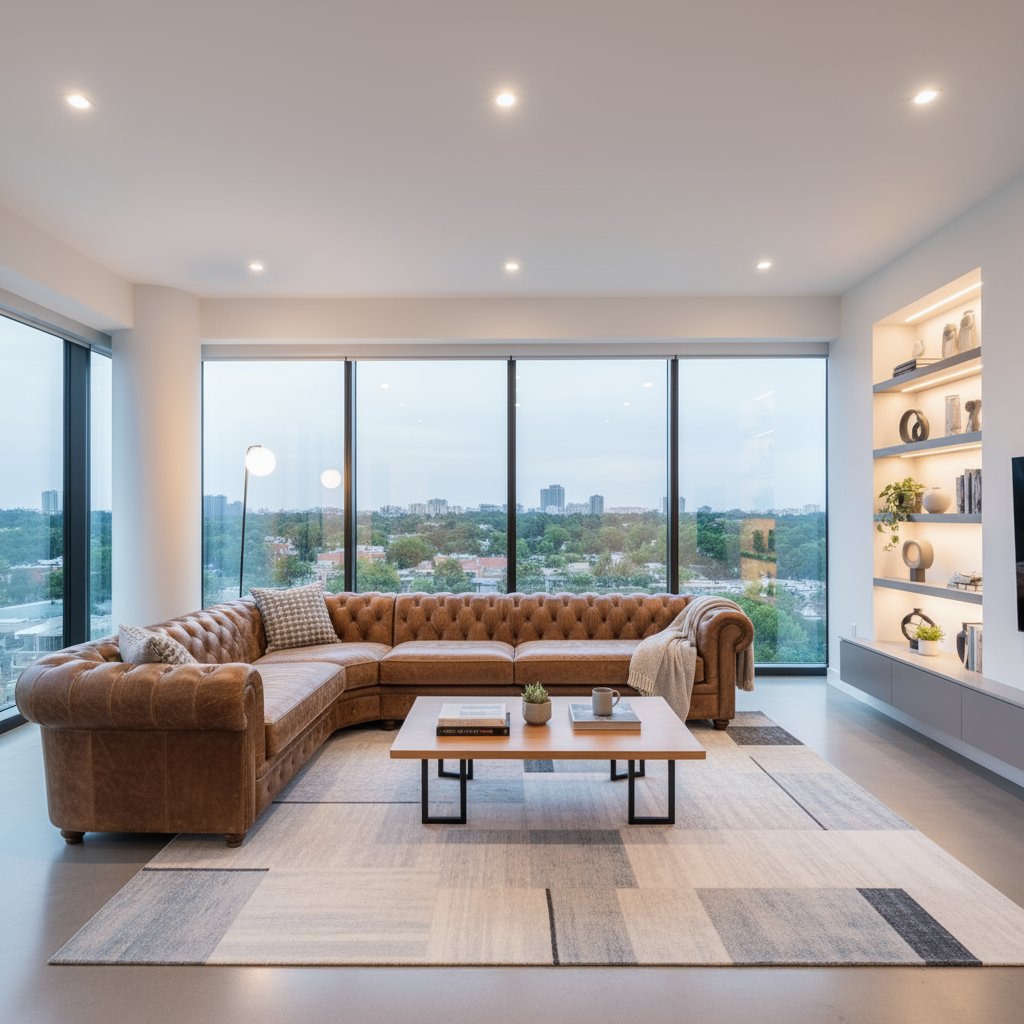
The space is already furnished but the furniture is dated, in poor condition, or simply not photogenic.
He wants to change without touching the structure.
Prompt base:
Replaces all existing furniture in this division with modern and contemporary pieces. Keeps the floor, walls, ceiling, windows and doors exactly as they are. Do not change the layout of the room or the lighting. Style: Modern minimalism. Ensures that the new furniture is proportional to the space.
Specific variants:
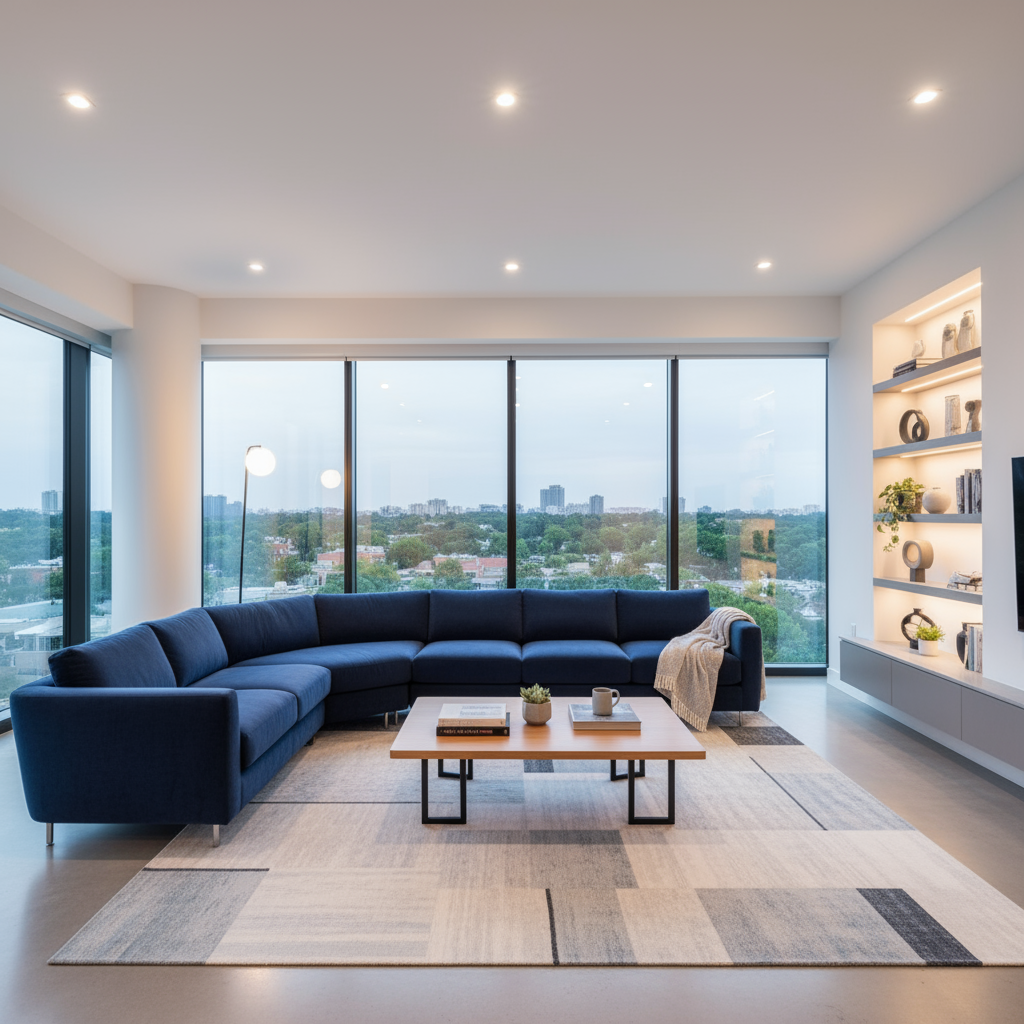
- Just the couch:
Replaces only the sofa in this image with a modern light grey L-shaped sofa. Keeps everything else in the room exactly the same, including position, lighting and other furniture. - Kitchen:
Replaces kitchen furniture and appliances with modern white cabinets, integrated appliances and a minimalist aesthetic. Keeps walls, floors, windows and structural elements unchanged. - Fourth:
Replaces the bedroom furniture with a contemporary platform bed, matching bedside tables and built-in wardrobe. Keeps the architecture, flooring and lighting conditions unchanged. Style: Modern boutique hotel.
🎨 Scenario 3 — Change of Finishes and Materials
Want to show the customer what the space would look like with other finishes, wall colors, or floor types – no works.
Prompt base:
Change the color of the walls in this room to a warm white (similar to Farrow & Ball "Wimborne White"). It keeps all the furniture, flooring, lighting and architectural elements exactly as they are. The result should look photorealistic.
Variants by element:
- Flooring (wood):
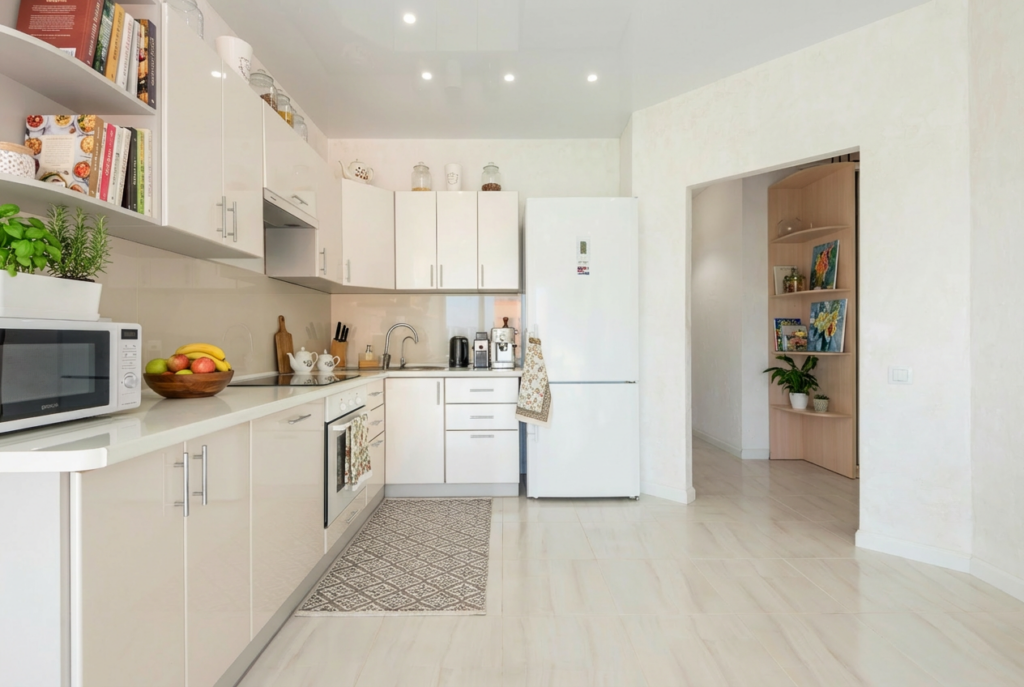
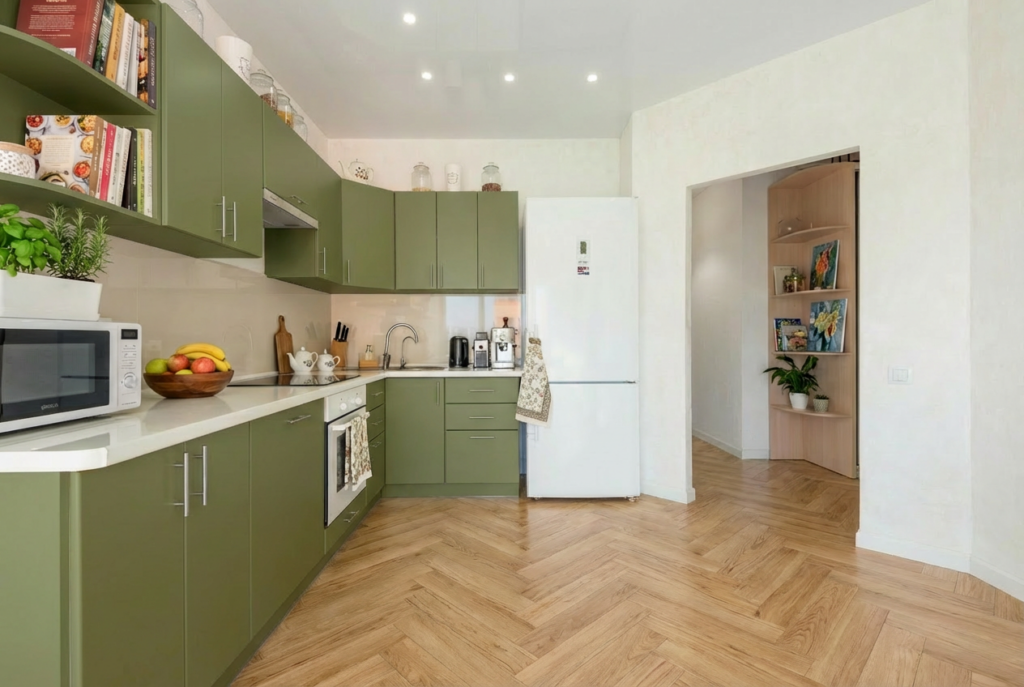
Replaces existing flooring with light oak flooring in fishbone pattern. Keeps all furniture, walls and lighting unchanged. The new floor should look photorealistic and consistent with the natural lighting of the room. - Flooring (concrete/industrial):
Replaces the existing floor with light grey polished concrete. It keeps all the furniture, walls and architecture exactly as they are. - Kitchen tiles:
Replaces the tiles of the kitchen panel with white subway tiles in brick pattern with dark grey rejuvenation. Keeps all other elements of the image unchanged. - Door/window colour:
Change the color of all window and door frames in this image to matt black. Keeps all other elements exactly the same.
☀ក Scenario 4 — Lighting and Atmosphere Correction
The photograph became dark, with sky burnt, or with artificial light that "destroys" space. You want to improve without changing the content.
Prompt base:
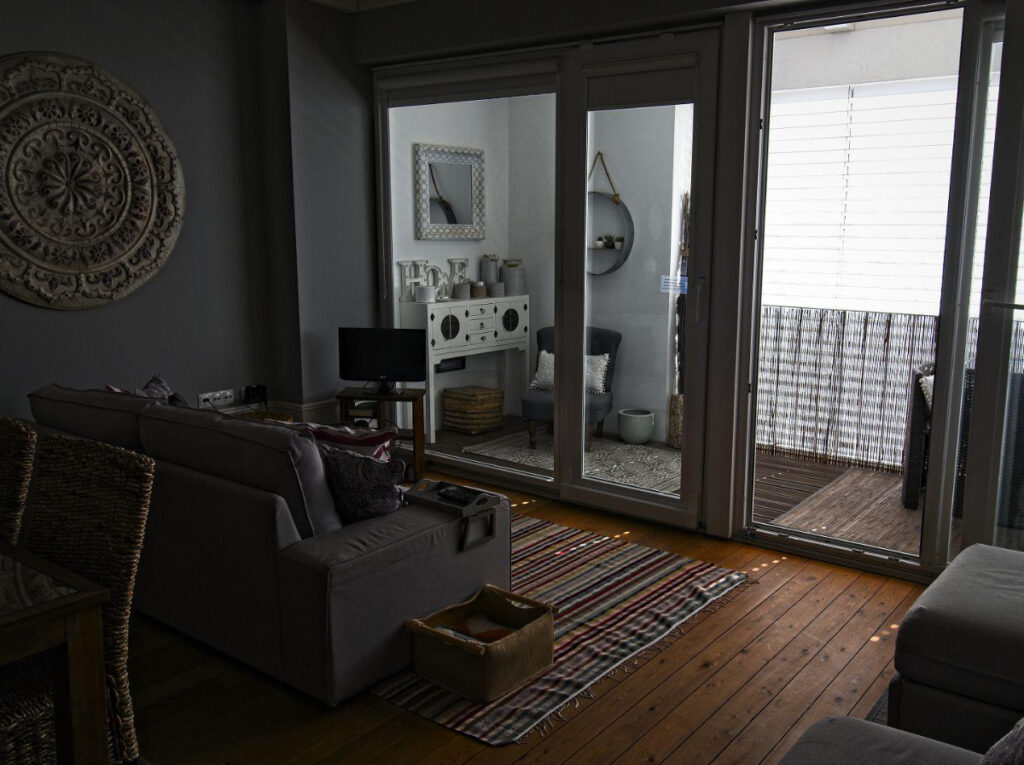
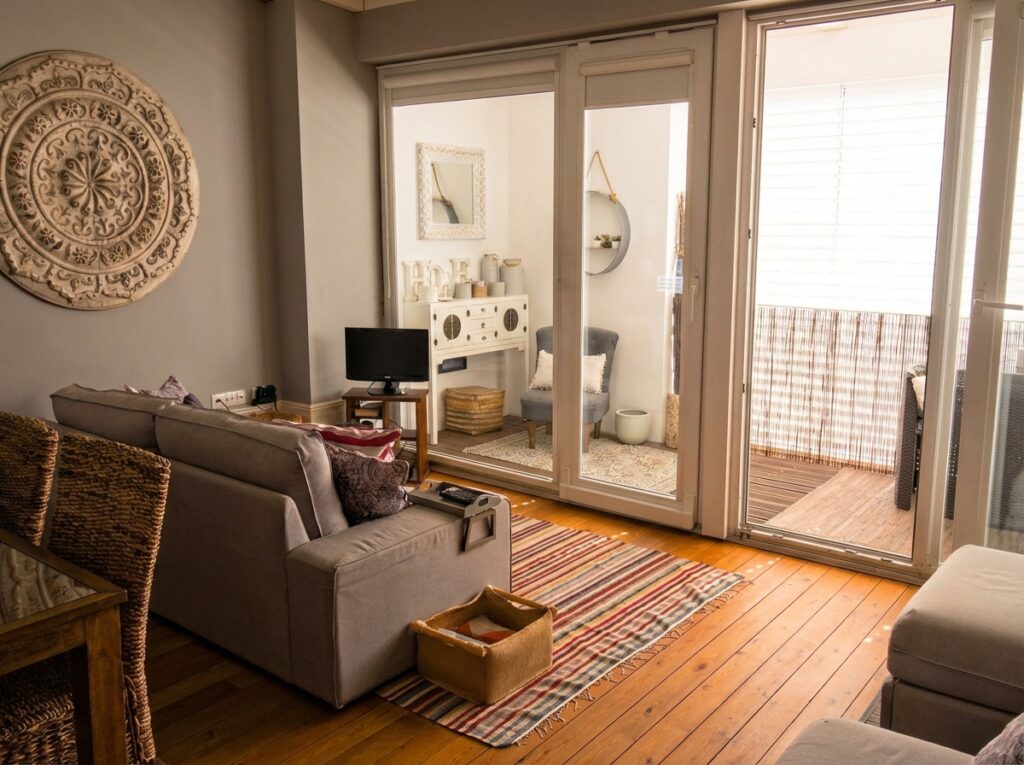
Improves lighting in this interior photography so that the space looks bright, airy and inviting. Corrects the white balance for a warm, natural light tone. Do not alter any furniture, architecture or layout of the room. The result should look photorealistic.
Variants:
- Burnt sky (outside the window):
It replaces the overexposed sky visible through the windows with a natural blue sky with soft clouds. It keeps all the interior elements exactly as they are. The transition between interior and exterior must seem photorealistic. - Nocturnal/premium environment:
It transforms the lighting of this room into a cozy and sophisticated night environment. Activates interior lighting to create a premium atmosphere. Keeps all furniture and architecture unchanged. - Maximise natural light:
It makes this room seem more luminous and airy, highlighting natural light. It clarifies shadows subtly and improves overall exposure. Do not add or remove furniture or alter any architectural elements.
🏡 Scenario 5 - Virtual Outdoor Renovation
The facade of the property is outdated or needs a "refresh" for marketing photos.
Prompt base:
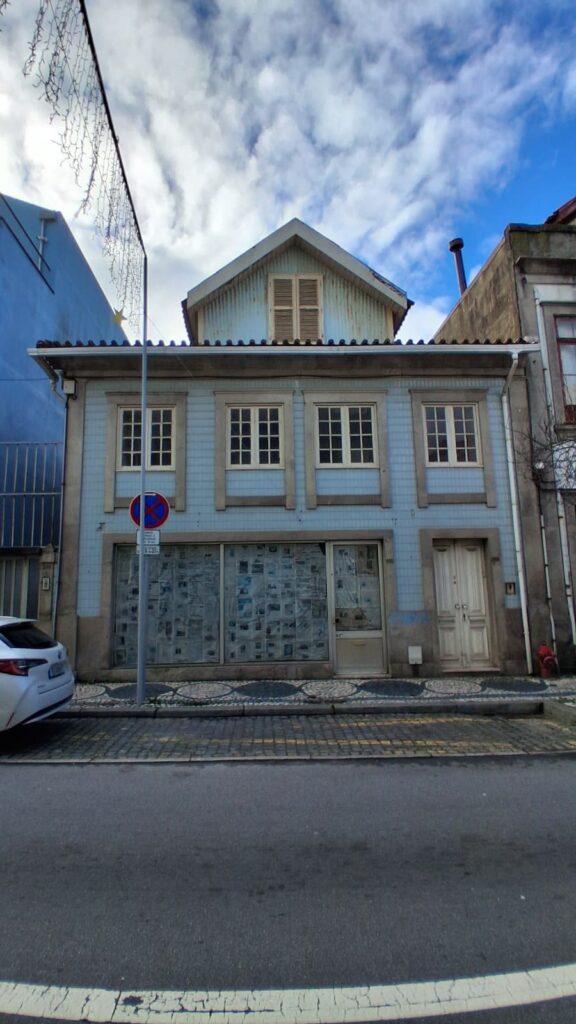
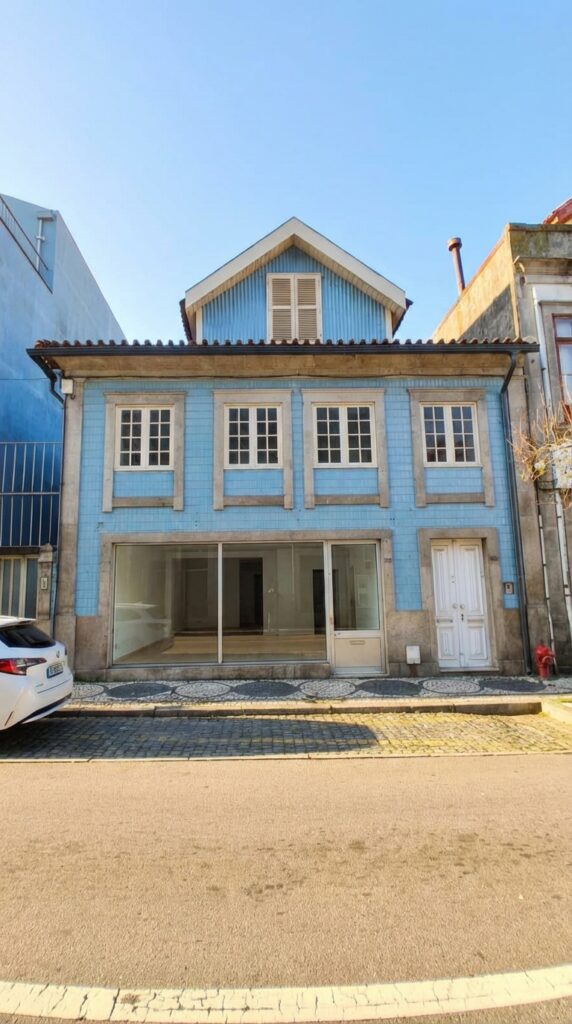
Do a virtual renovation of the exterior facade of this house. It keeps the architecture and overall structure exactly the same. It updates the painting to a modern light grey tone and replaces dated details with contemporary finishes. The result should look photorealistic.
Variants:
- Garden/landscaping:
Improves the garden and landscaping of this outdoor photograph. Adds a well-kept green lawn, trimmed hedges and seasonal flowers. Keeps the structure and facade of the house exactly as they are. - Entry Door:
Replaces the entrance door in this image with a modern solid wood door of dark navy blue color. Keeps all other exterior elements exactly the same. The result should look photorealistic. - Virtual pool:
Adds a rectangular pool to the garden area of this outdoor property. The pool should have a modern design with light blue water and minimalist stone coating. Keep the house unchanged.
🧹 Scenario 6 — Cleaning and Removal of Elements
Photography has unwanted objects: boxes, old appliances, cables in sight, or simply "confusion". You need to clean without redoing the photo.
Prompt base:
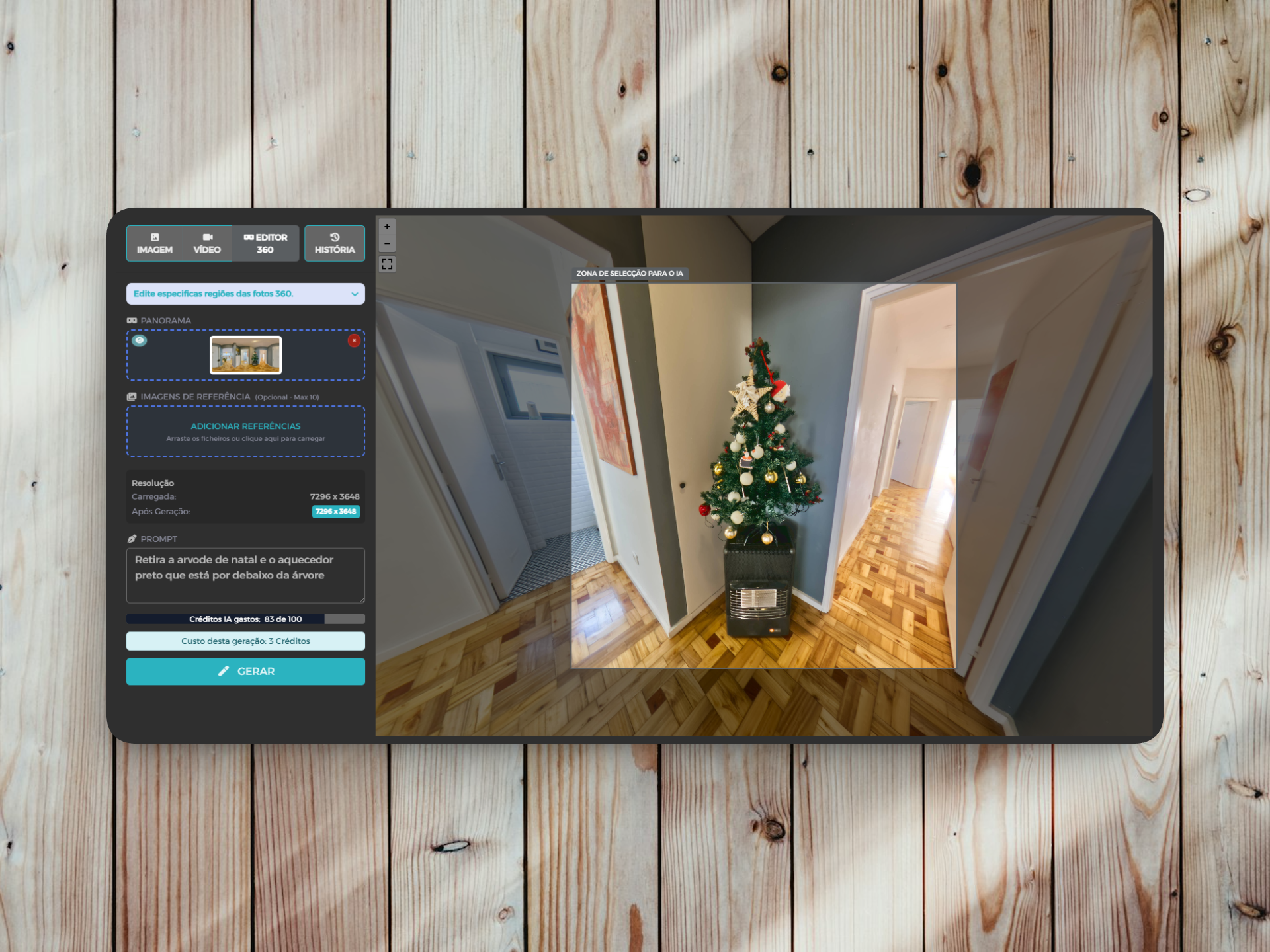
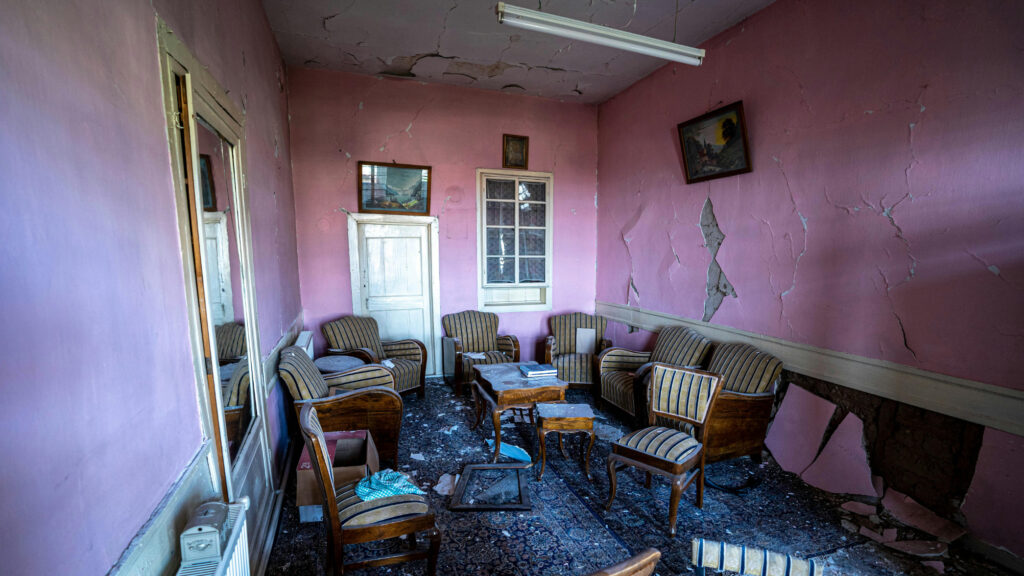
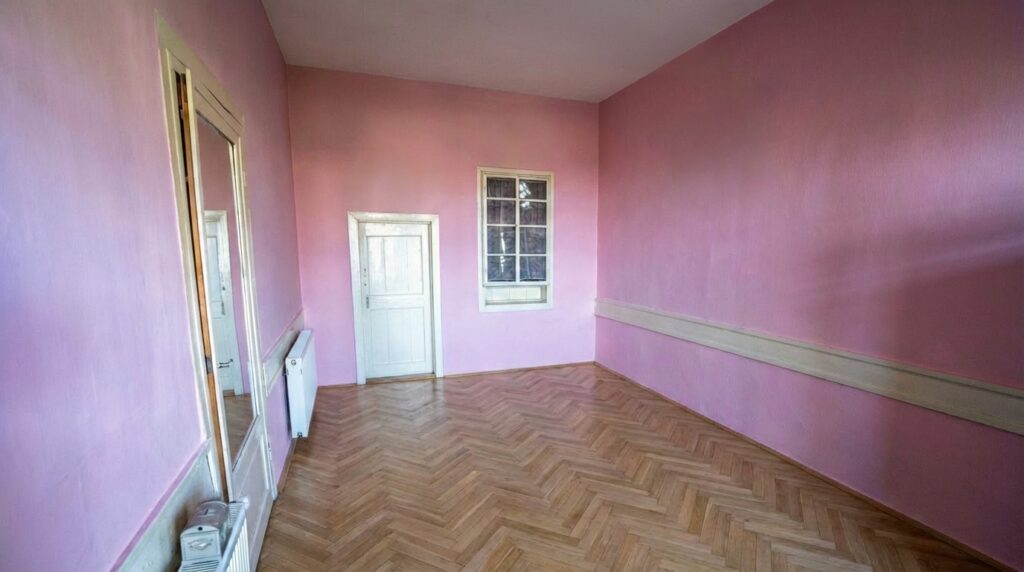
It removes all clutter, personal objects and unnecessary elements from this division. Keeps all furniture, architecture and fixed elements. Fill the removed areas with the appropriate background (floor, wall or surface) so that the result looks natural and photorealistic.
Variants:
- Remove specific objects:
Removes the cardboard boxes in the corner of this room. Fill the area with the texture of the existing floor. Keeps all other elements of the image unchanged. - Remove cables/wires:
Removes all cables, wires and extensions visible in this image. Fill the exposed areas with the appropriate texture of wall or floor so that the result is perfect and without visible seams. - Depersonalise:
Removes all personal effects from this room: family photographs, toys, personal objects on surfaces. Keeps all the furniture and architecture exactly as they are. Makes the space look neutral and ready for sale.
💡 Quick Tips for Better Results
- Be specific with the materials: instead of "wood", write "light oak floor in fishbone" – AI understands better.
- Always write what you can't change: always add
Keeps [element] exactly as it isTo protect what you don't want to change. - Always ask for realism: close prompts with
The result should look photorealisticIt significantly improves the quality. - Coherent lighting: always mention
consistent with existing natural lightto avoid results with "strange" light. - Make generations in layers: make one change at a time (furniture → color → lighting) instead of everything at the same prompt.