A Video Call is a function that, by default, is linked on all tours created in Virtual Home 360.
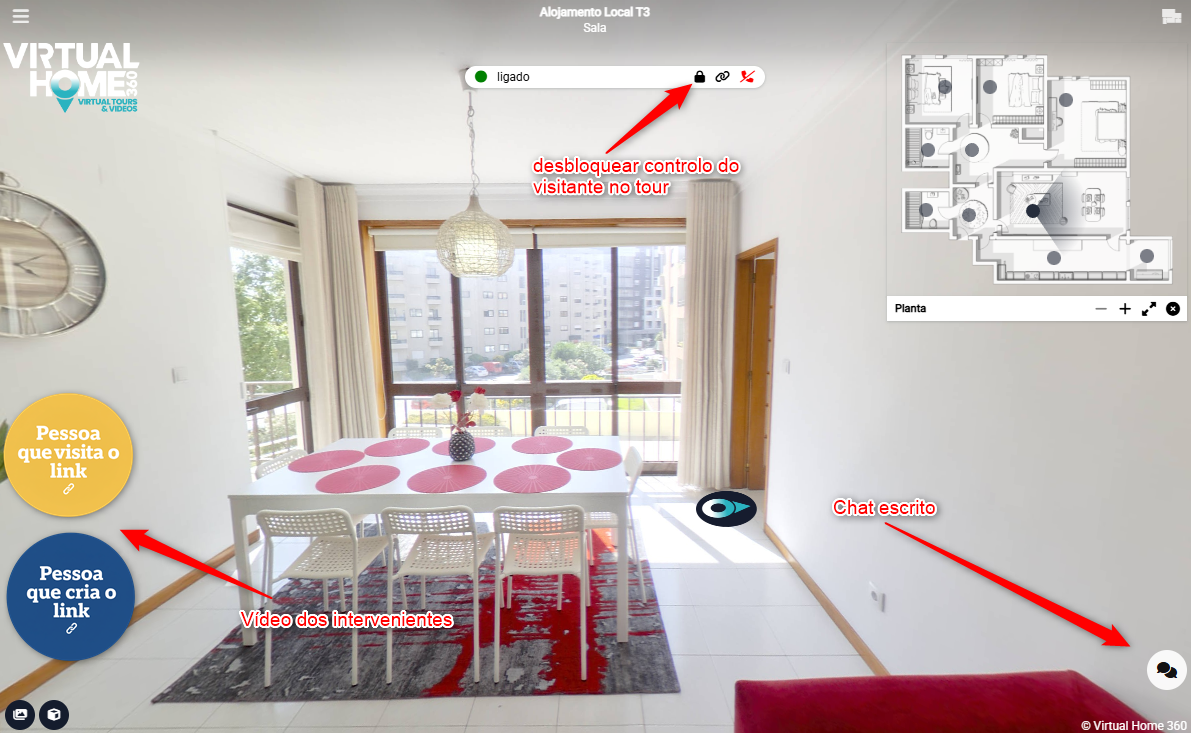
The function is located within the bar menu at the top left of the virtual tours.
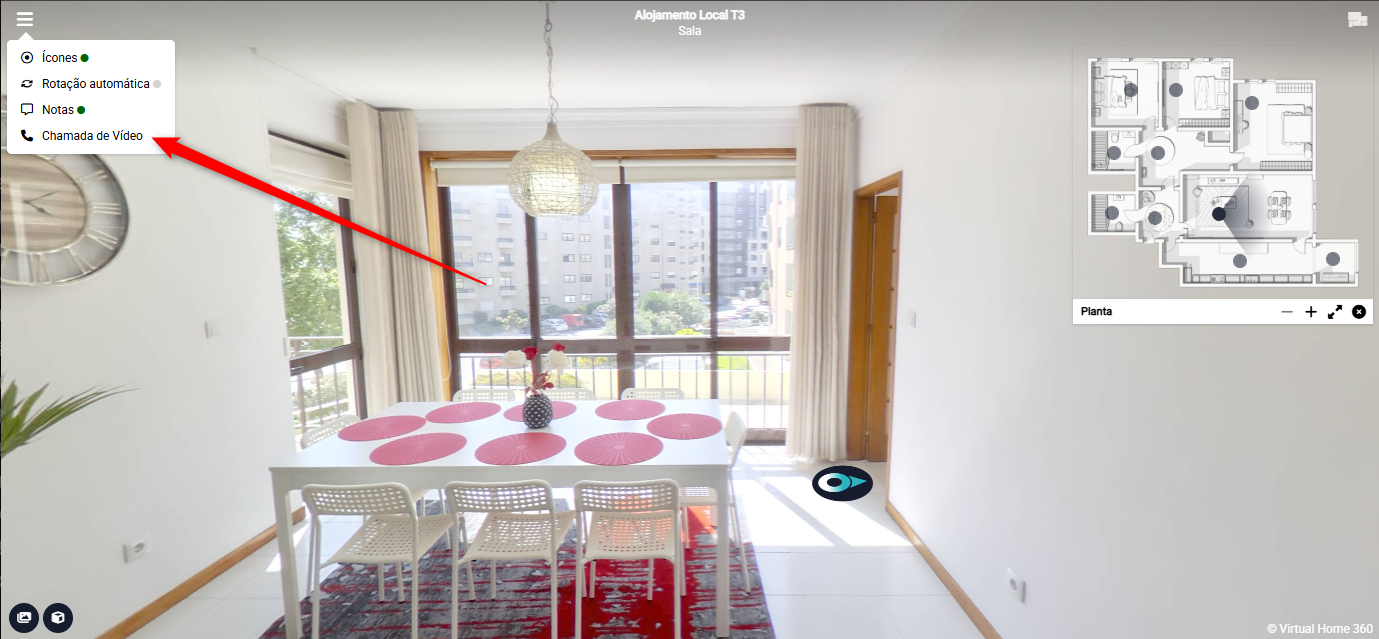
To make it easier to understand how this video call works, let's assign two roles.
The role of the caller - the person who clicks on Video Call and generates a special link.
And the role of who will pay the visit - the person who will be invited to use the special link to enter the video call.
By clicking Video Call, we can choose whether this call will be with video and audio or just audio.
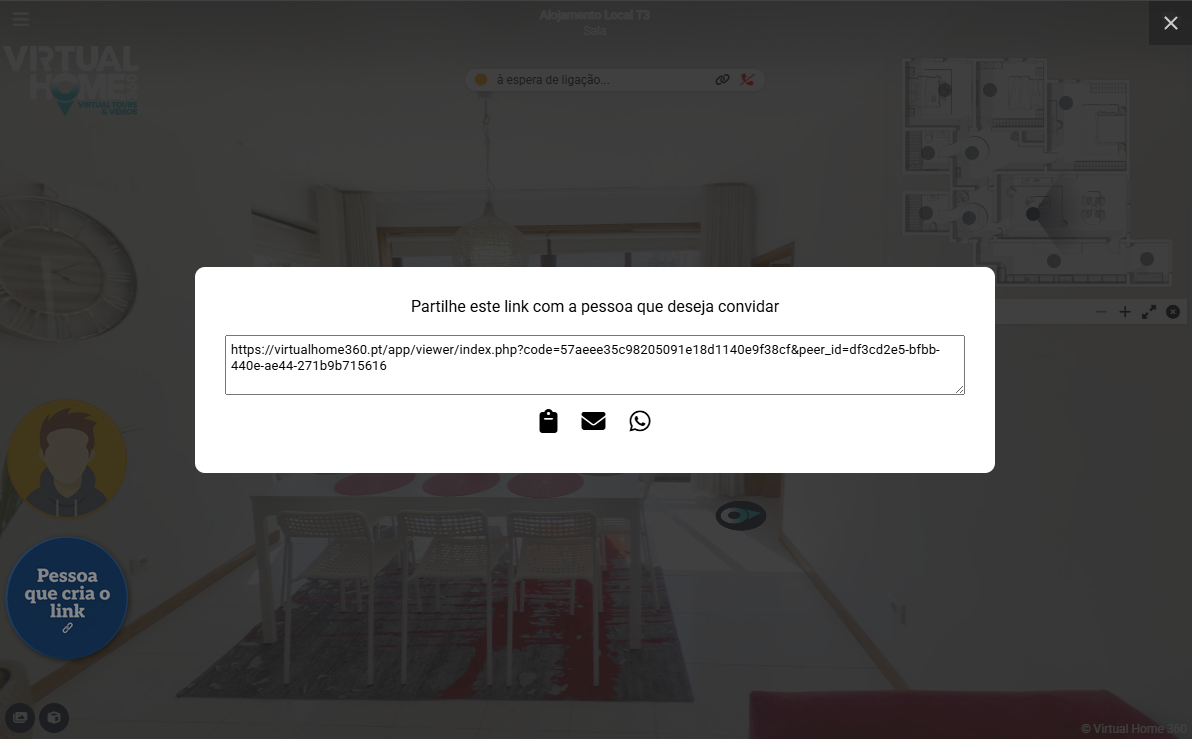
After this choice, a window will appear with a special link that will have to be shared with the person who wants to make the view.
As soon as the guest accesses the link, the video call will start
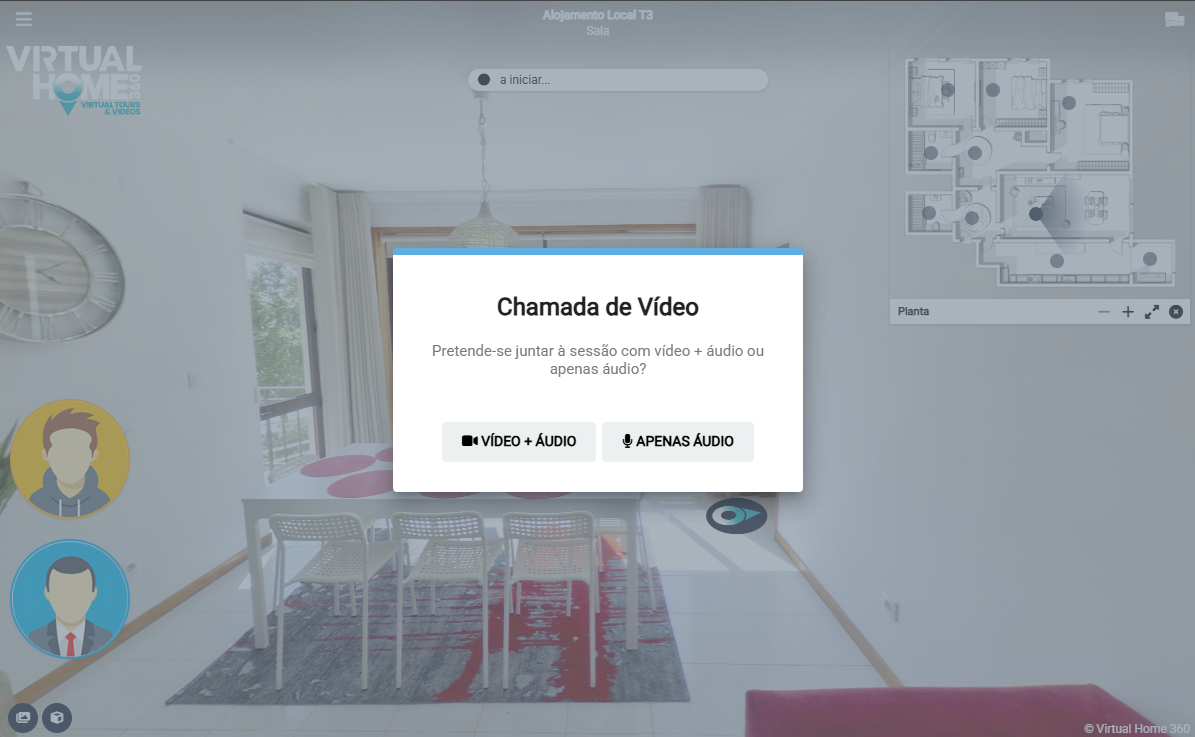
Participants must allow the browser to access the camera and the computer/mobile microphone for the Video Call to work correctly.
The link creator for the call has control over the Tour navigation but can allow the visitor a free navigation by clicking on the padlock icon.
There is also an icon at the bottom right, which opens a chat window.