In real estate, time is money. Every trip to the property, every additional photo shoot, every post-production job – all this adds up.
With Virtual Home 360's Image AI Tools, you can create and transform images quickly and cost-effectively, without the need for additional equipment or getting back on site.
This tool uses artificial intelligence to generate or modify images from plain text.
Describe what you want to see, and AI takes care of the rest. Whether it is to digitally furnish an empty space, view a house still in plan, or show different styles of decoration – all this is within a few clicks.
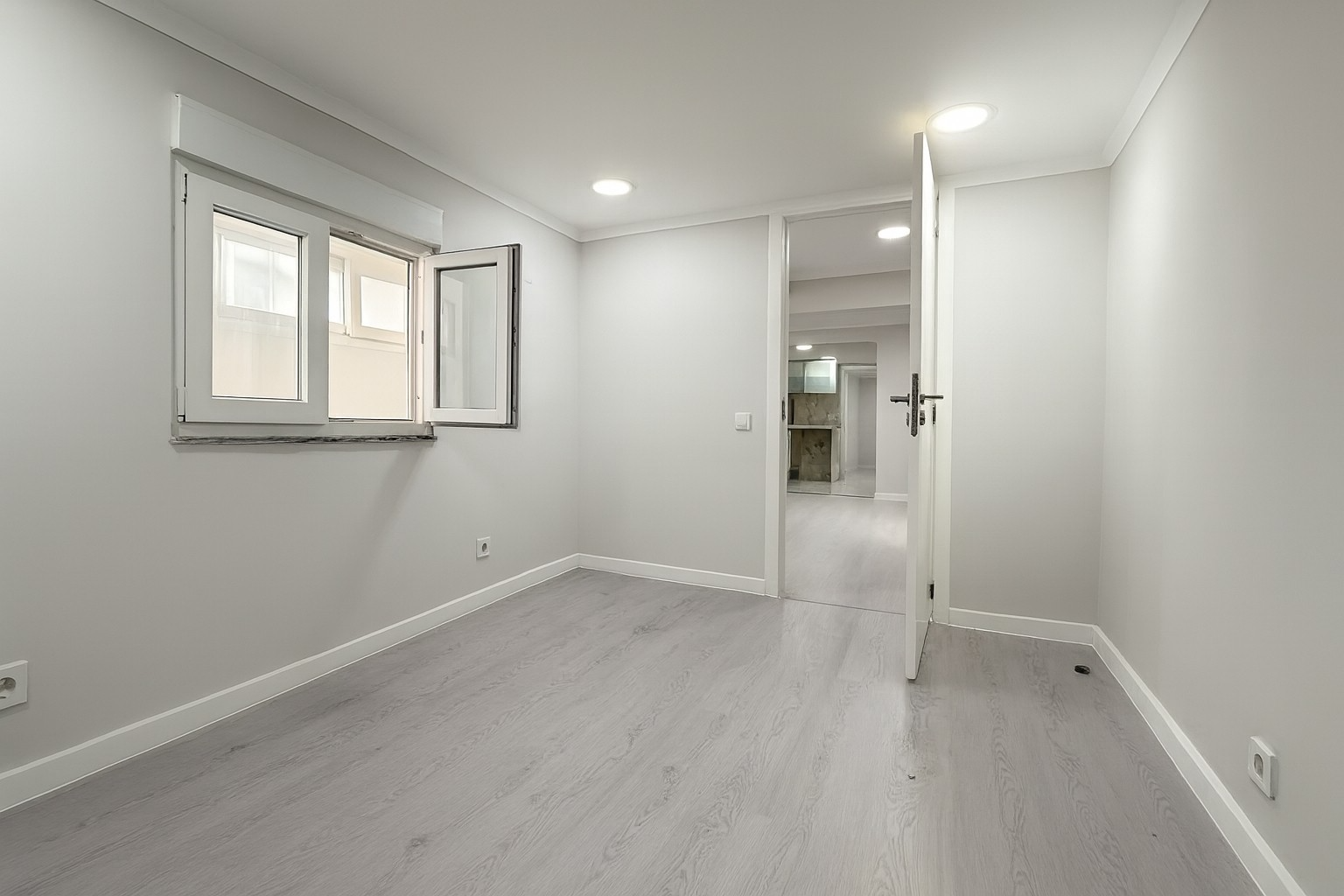
Virtual Staging: Furnishing Empty or Workspaces
One of the biggest challenges in selling real estate is to help buyers realize the possibilities of an empty or unfinished space.
With the AI image generator you can:
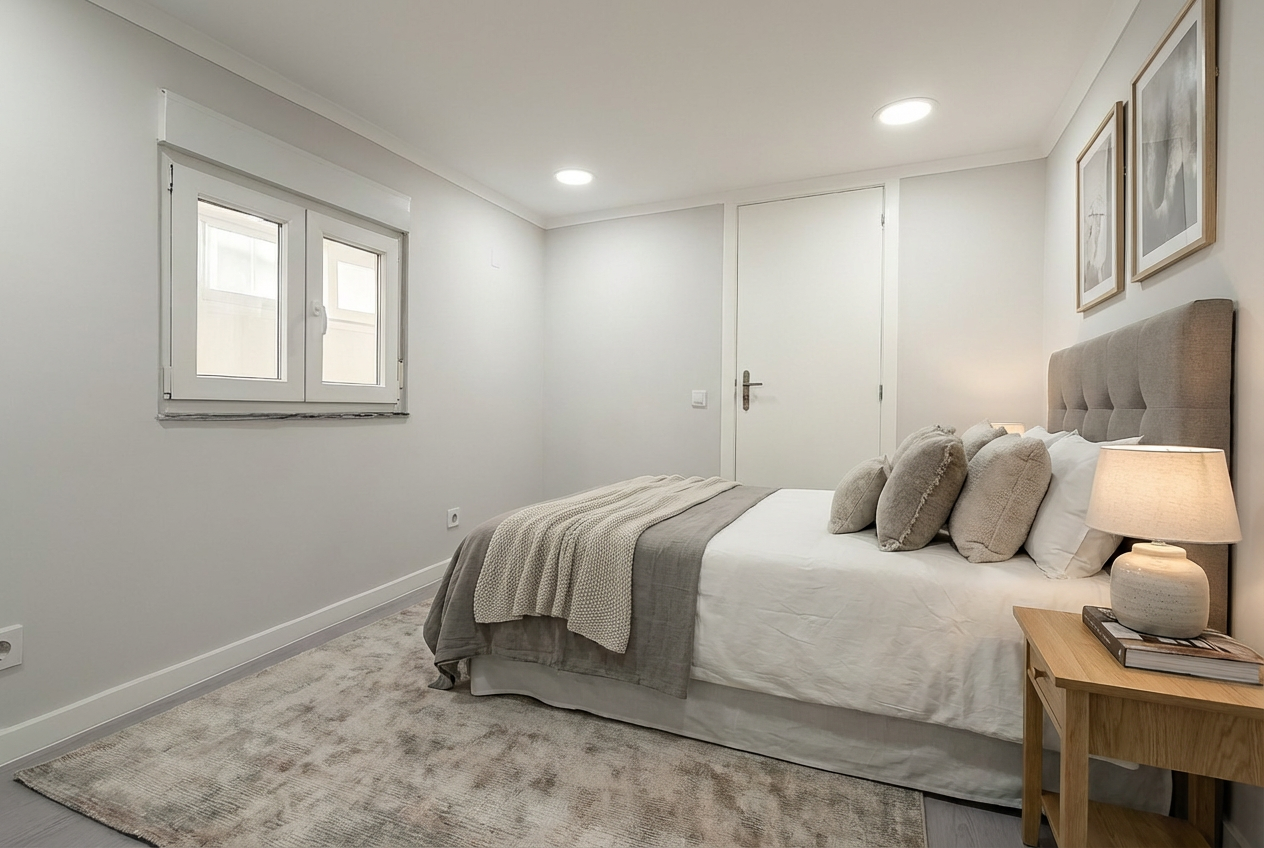
✔ Mobilising digitally empty rooms with different styles (modern, classic, minimalist)
✔ Show final result of works still ongoing
✔ Create multiple versions of the same space for different target audiences
✔ Accelerating purchasing decisions making the space more appealing
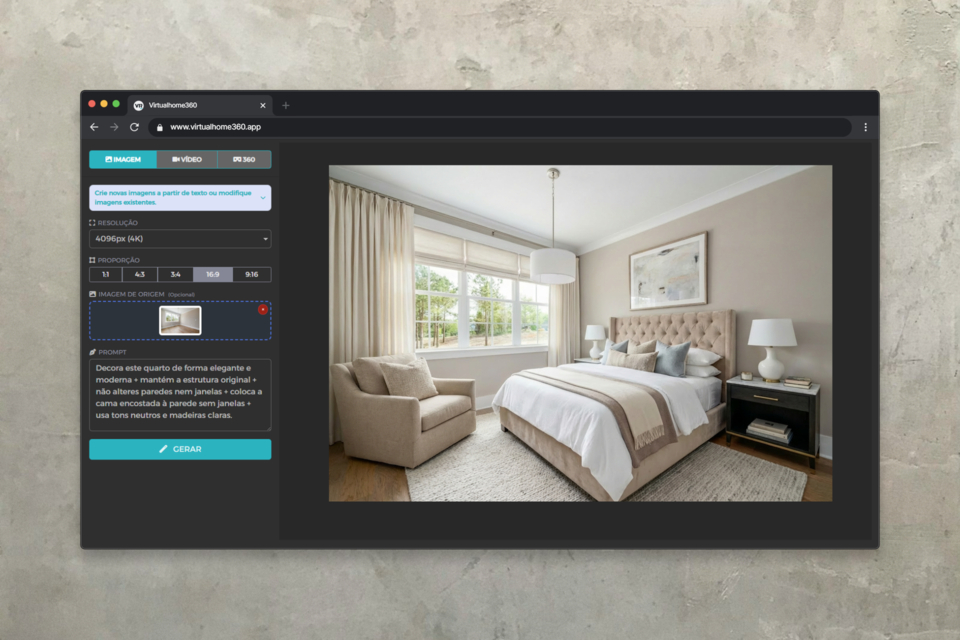
Practical example: Do you have an empty apartment, in construction, or with unattractive decoration to sell? Instead of investing in physical staging (which can cost hundreds or thousands of euros), create digitally furnished versions in minutes.
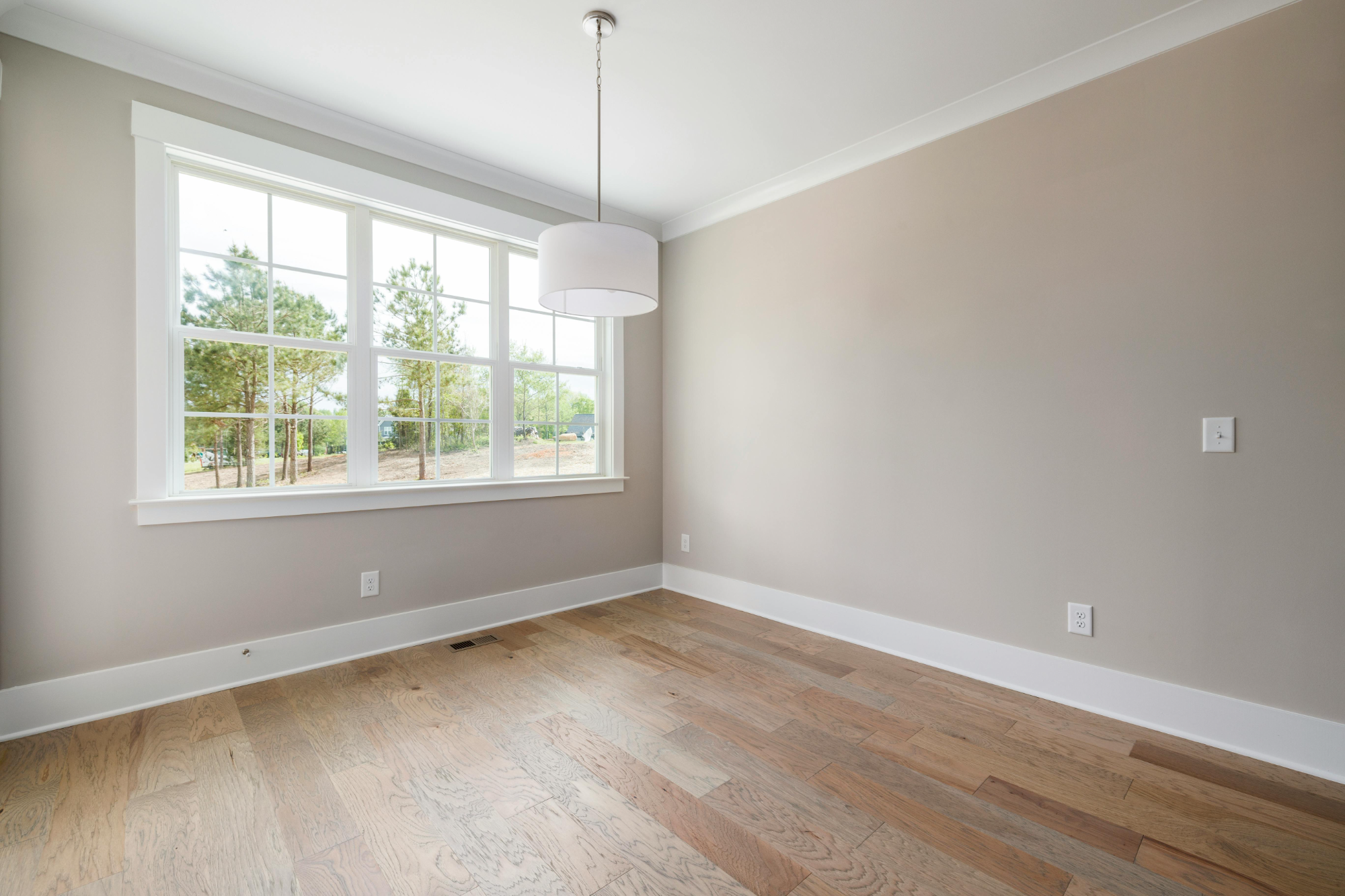
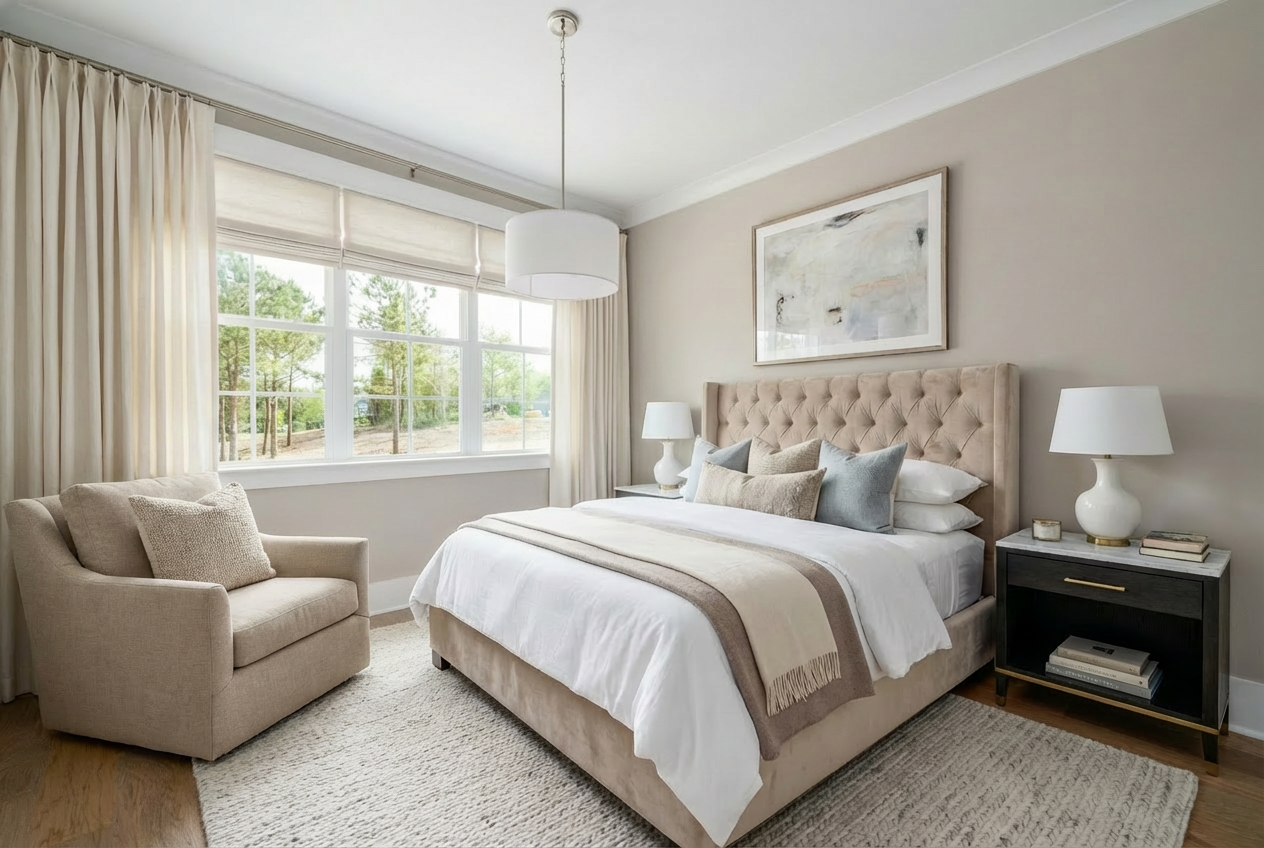
Prompt ready to use:
```
Decorate this room elegantly and modernly + keep the original structure + do not alter walls or windows + place the bed against the wall without windows + use neutral tones and light woods.
```
Sketch to Reality: From Plants to 3D Views
Do you have 2D architectural plans but need something more impactful to present to customers?
The image generator can transform Simple plants in photorealistic 3D visualizations, saving the cost of hiring a 3D architect or designer.
✔ Transform hand-drawn or digital plants into professional renders
✔ Show what the space will look like before construction
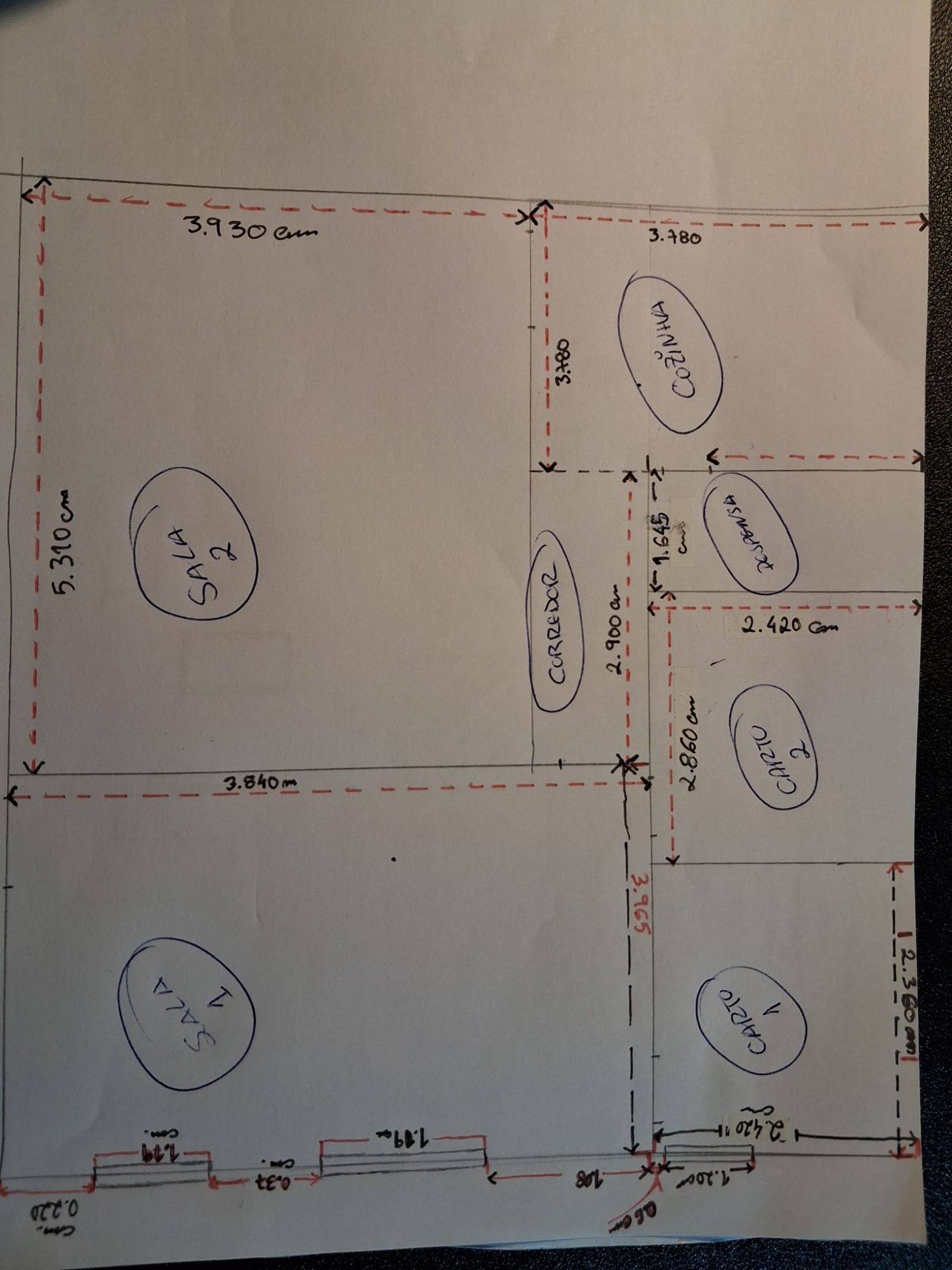
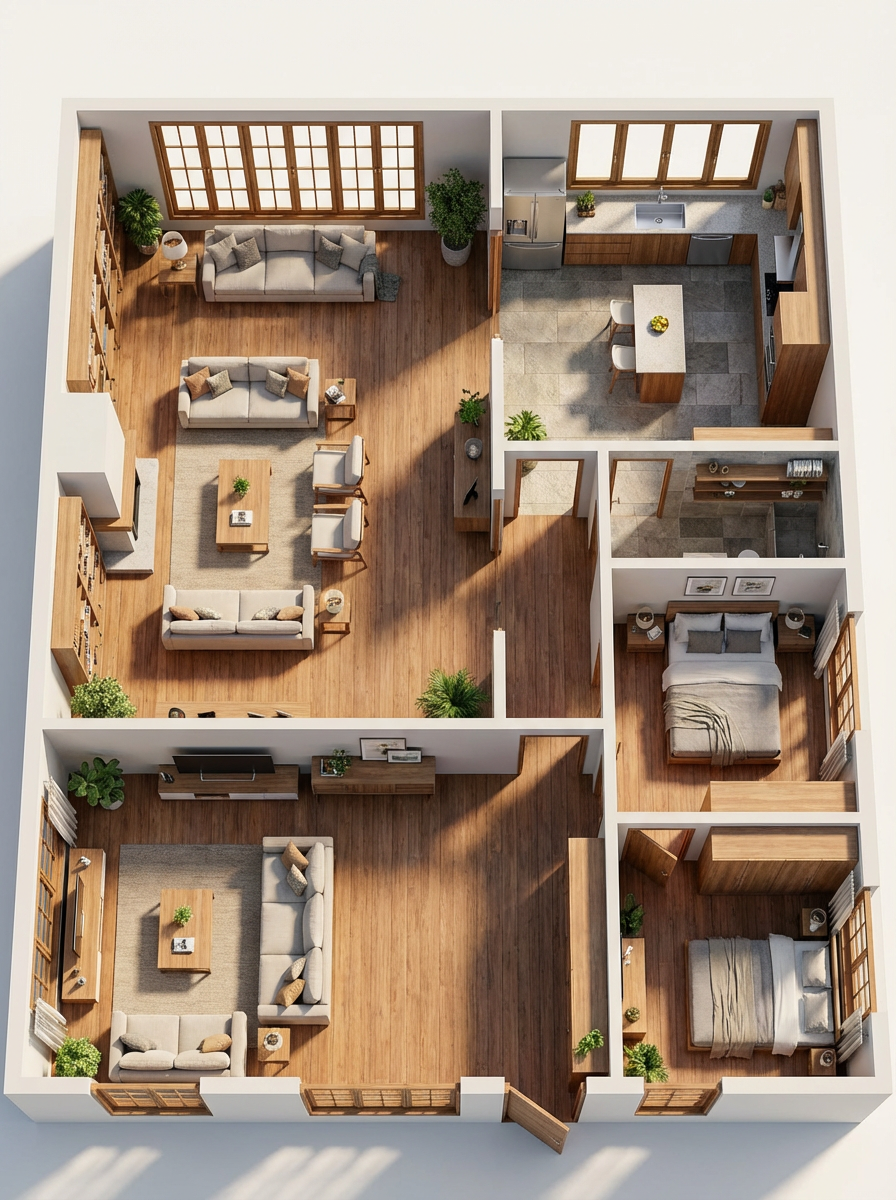
Prompt ready to use:
```
"Photorealistic 3D plan + clear layout with doors, windows and furniture + realistic natural lighting + realistic materials and textures + clean and modern presentation."
```
Virtual Space Upgrade and Renewal
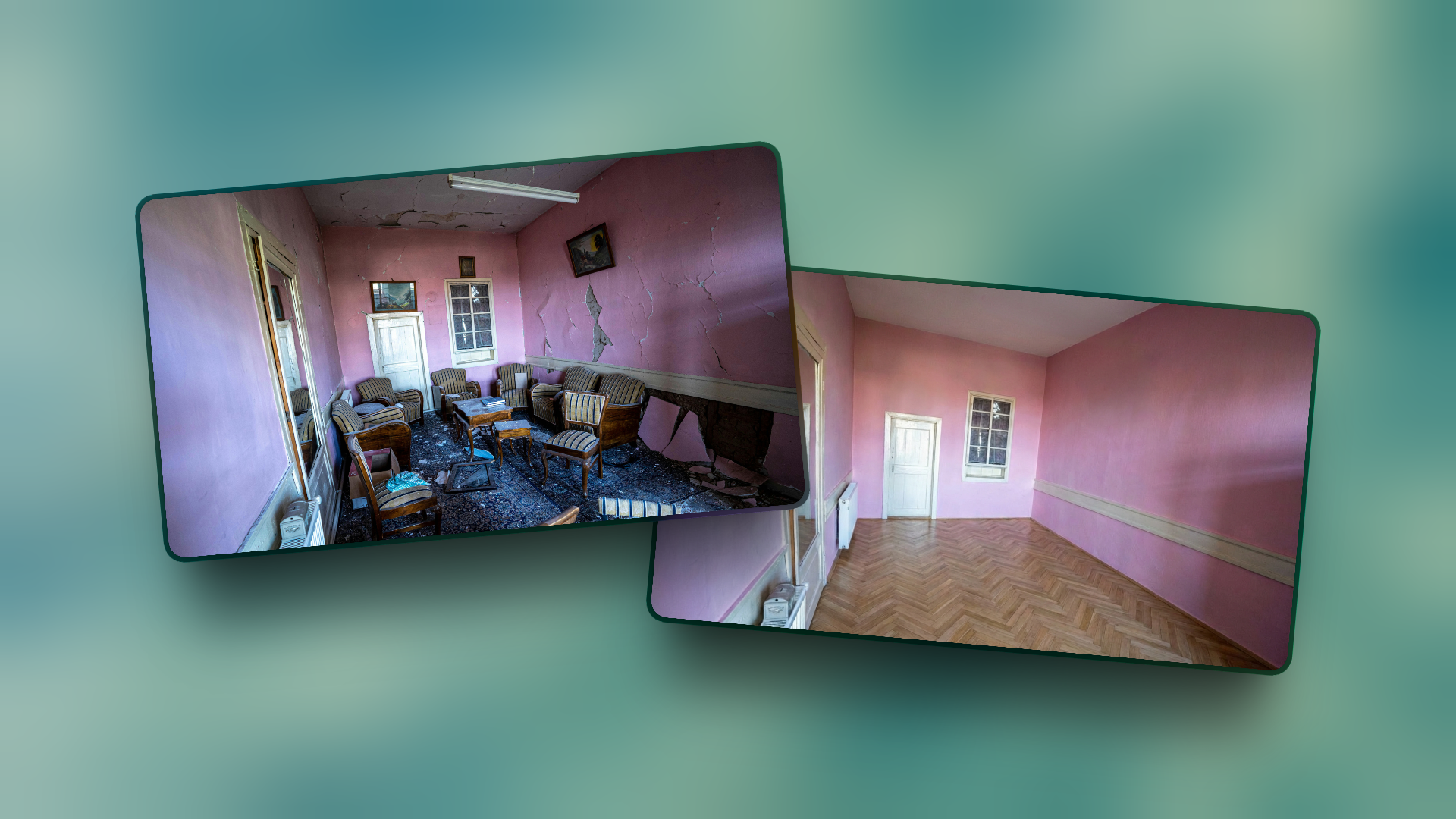
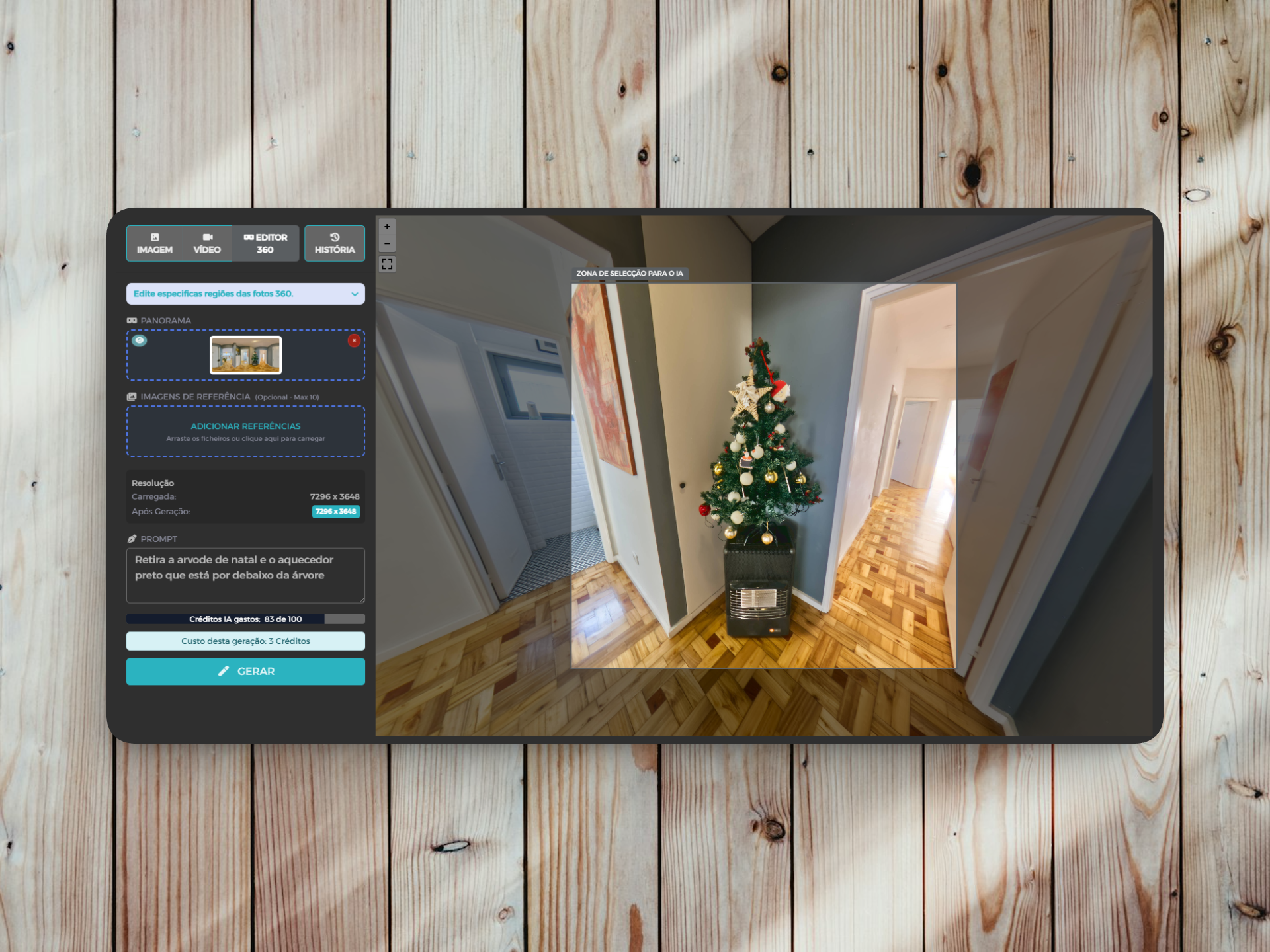
Do you have a property with outdated decoration or old finishes? Instead of doing works before you shoot (or simply accepting that the photos will be less appealing), you can show the potential after renovation.
✔ Modernize old kitchens and bathrooms
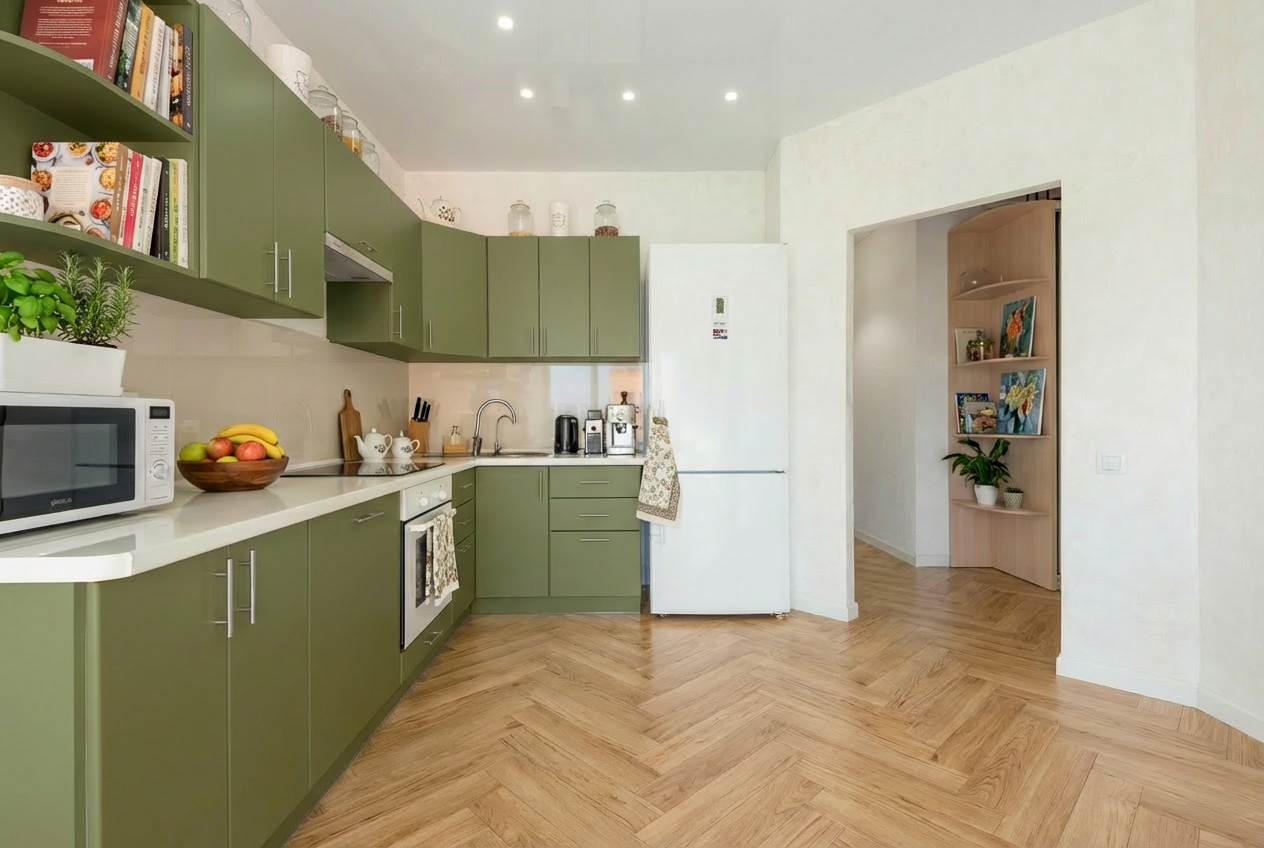
✔ Change colors of walls, floors and furniture
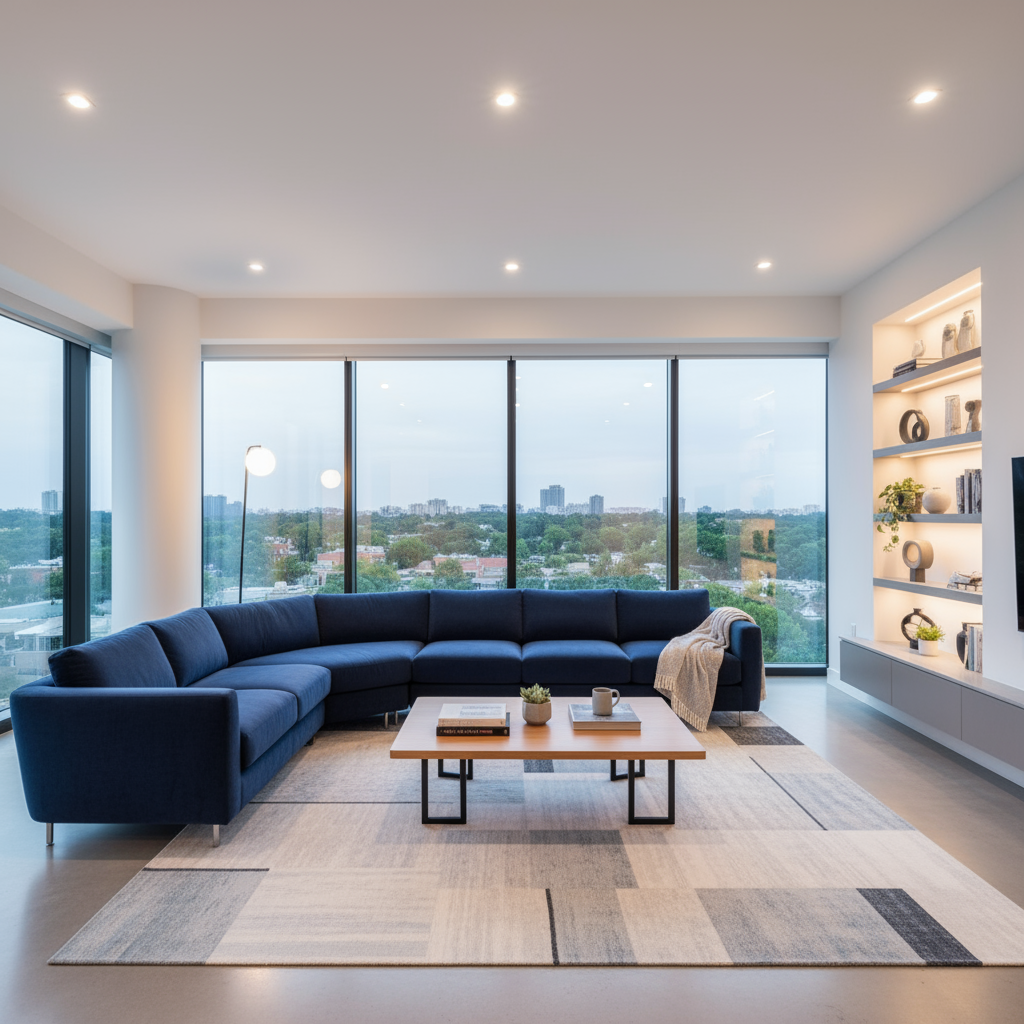
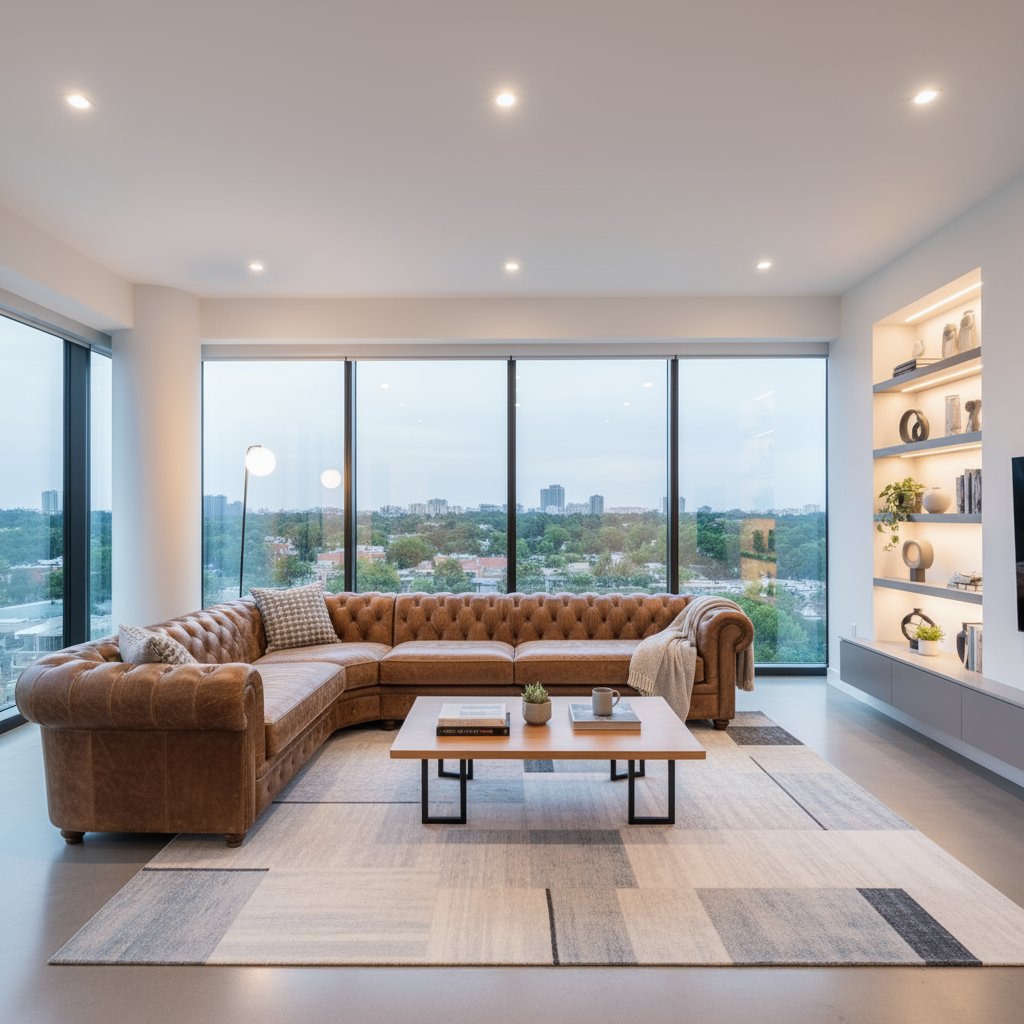
✔ Replace outdated pieces of furniture
✔ Show different finishing options
This is especially useful when you want to demonstrate to buyers what space can become.
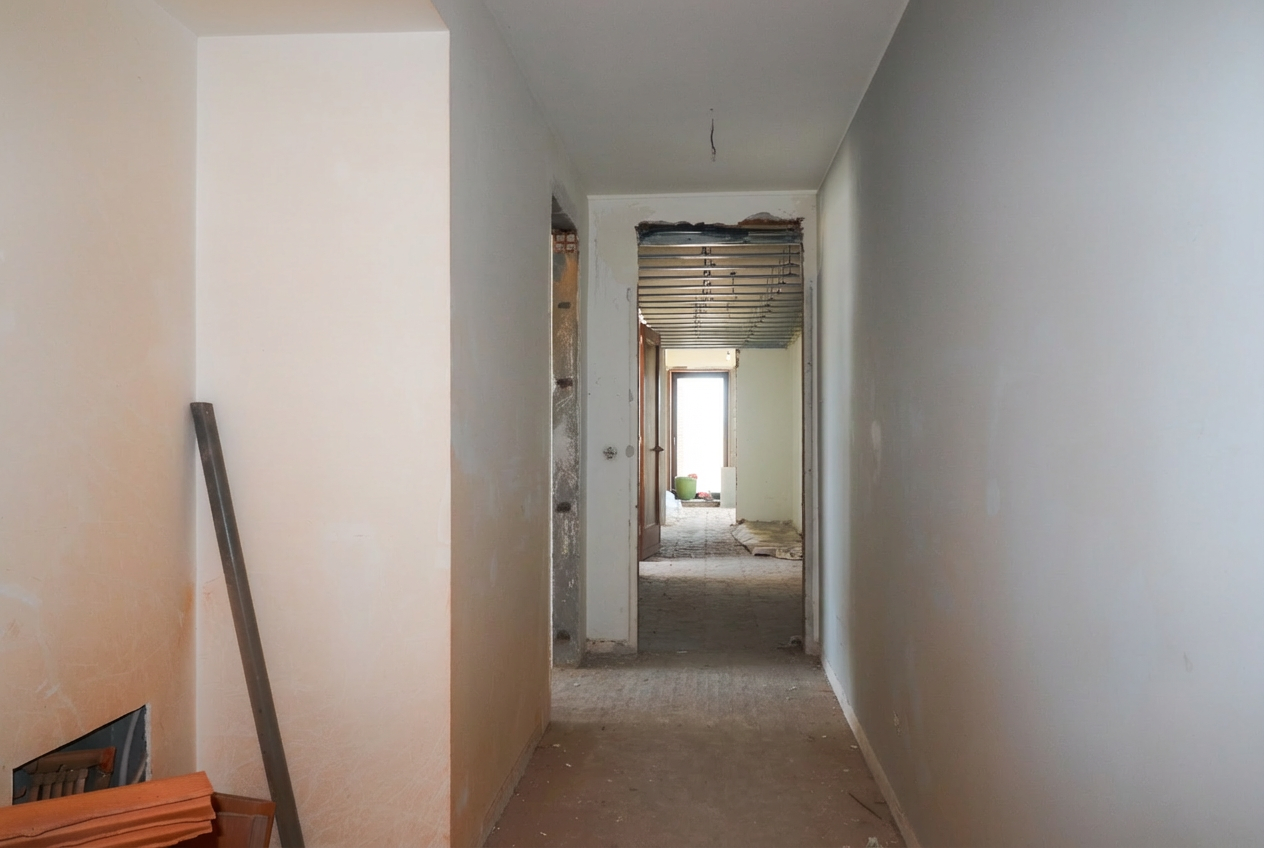
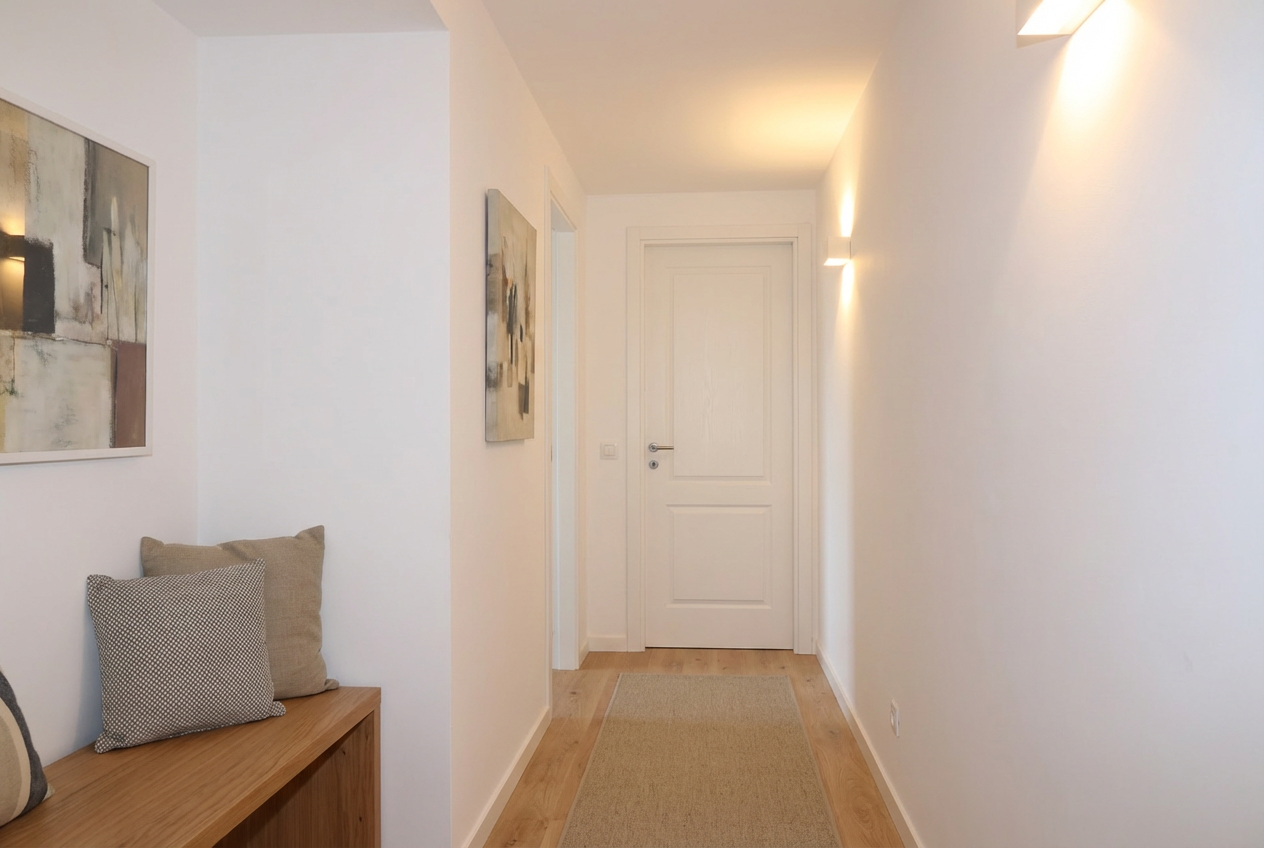
Prompt ready to use:
```
"Renovate and decorate the photo space + paint the walls white + place a door in the front passage + do not change the orientation + do not change the dimensions + do not change the depth"
```
Deployment View: Houses in Empty Land
For projects not yet built, can create conceptual images that show How will the house be on the ground?.
This is valuable for:
✔ Presentations to investors
✔ Marketing of projects at an early stage
✔ Demonstrate the integration of construction in the surrounding environment
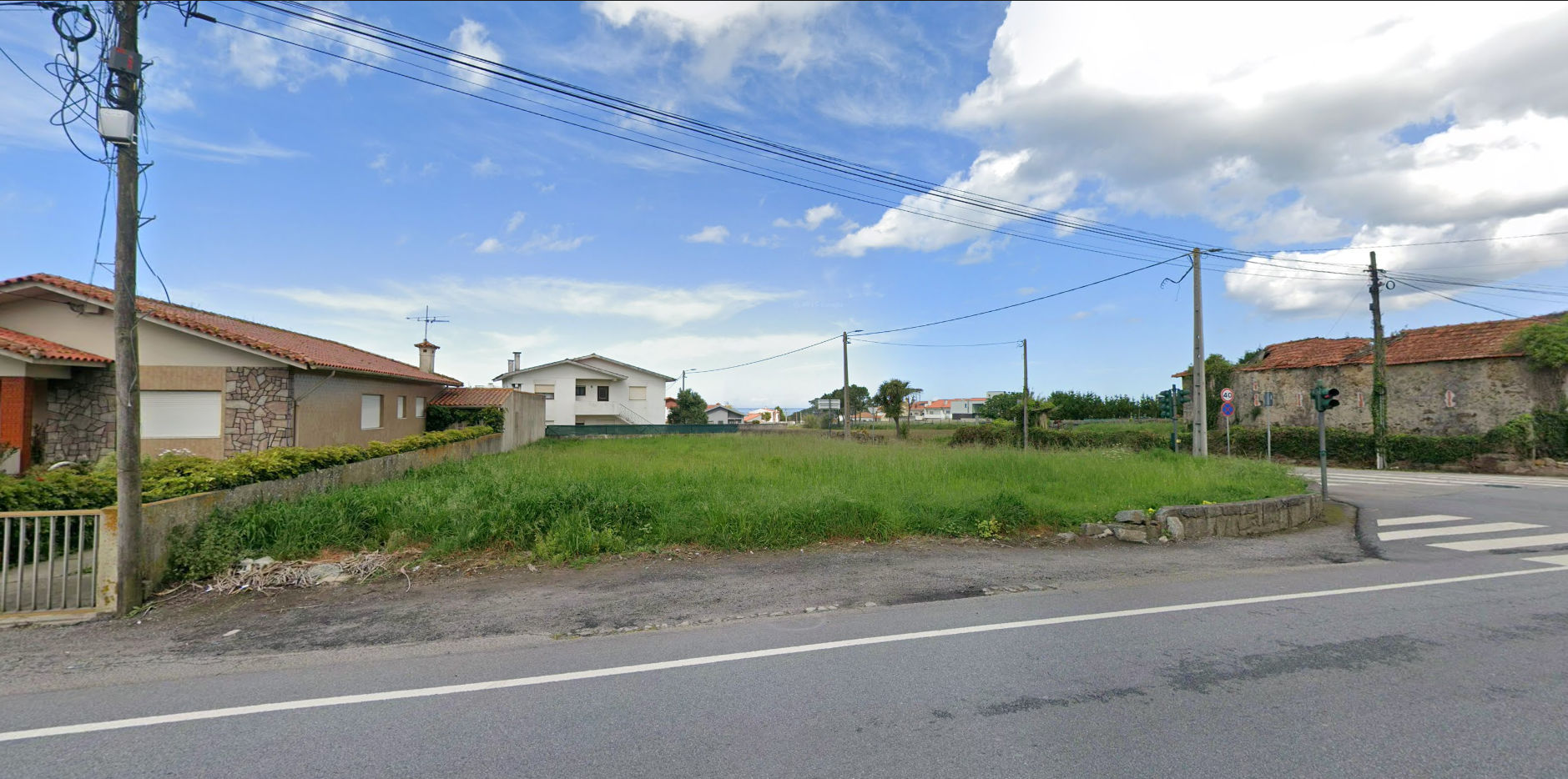
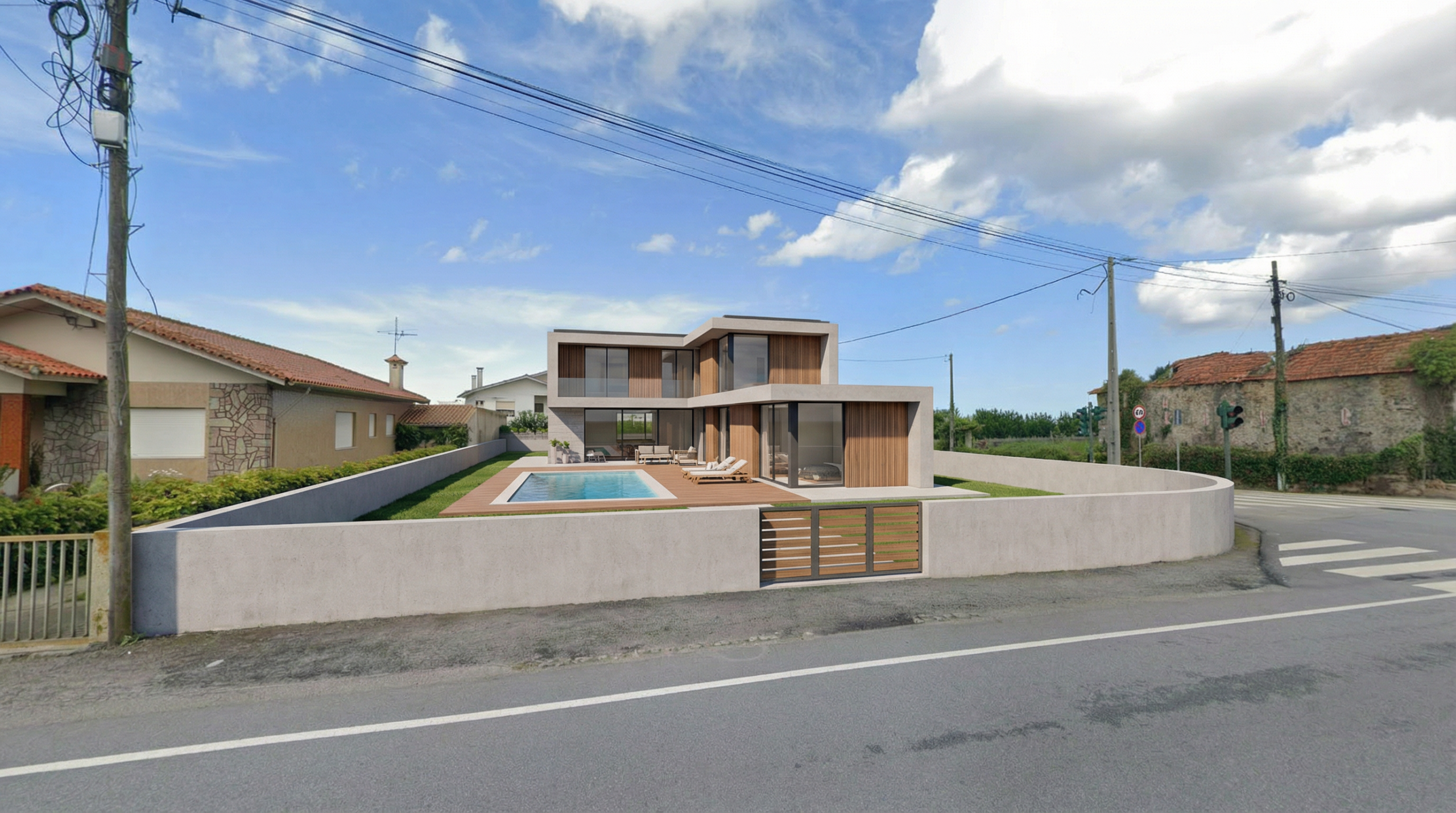
Prompt ready to use:
```
"Modern two-storey villa implanted in this terrain + natural integration with the surrounding + front pool + contemporary finishes + natural lighting."
```
Creating Variations for Different Publics
One of the great assets of this tool is the ability to create multiple versions of the same area quickly and economically.
It is possible to generate:
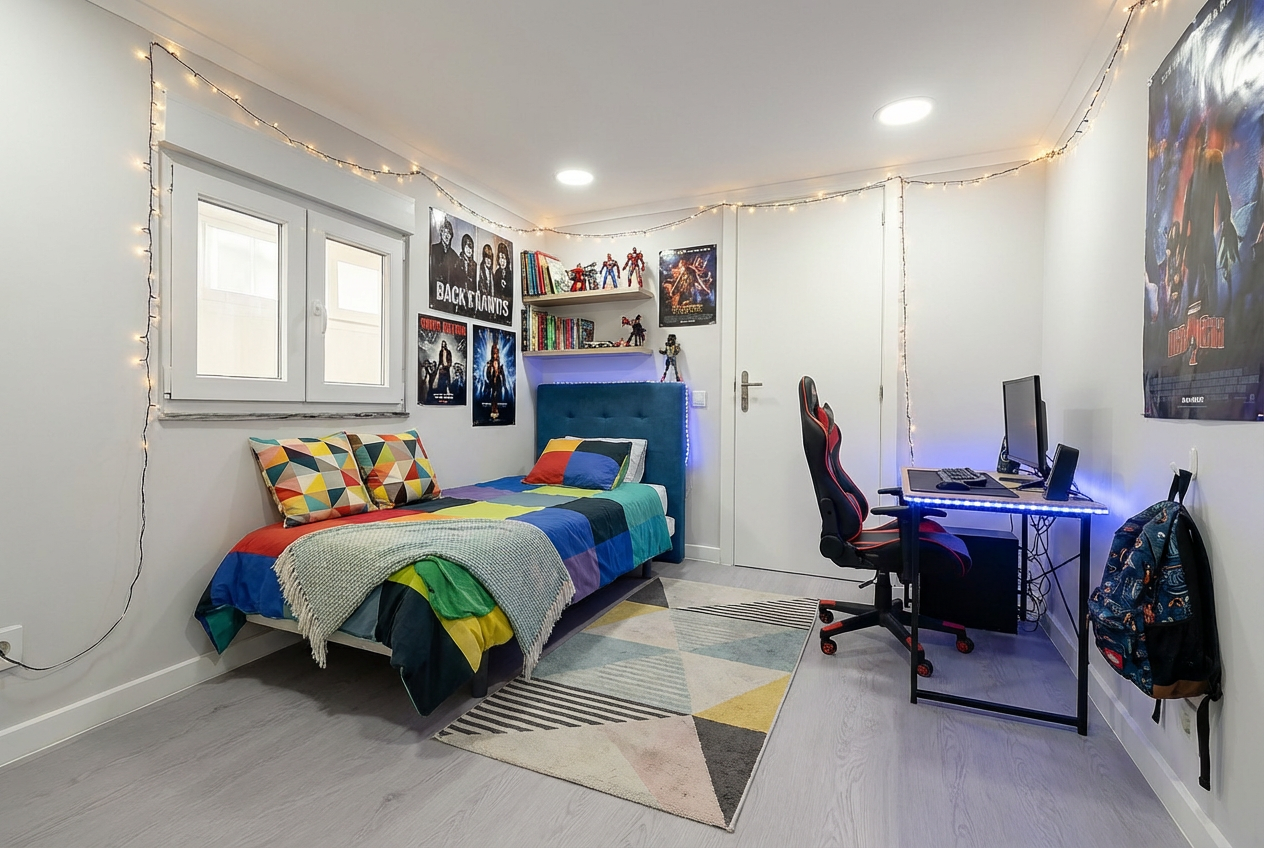
✔ Family version (with toys, warm colors, cozy atmosphere)
✔ Executive version (minimalist, neutral tones, home office)
✔ Young/student version (modern, vibrant colors, functional space)
This allows customize the presentation according to the profile of the potential buyer, without major additional costs.
Modification of Finishes and Materials
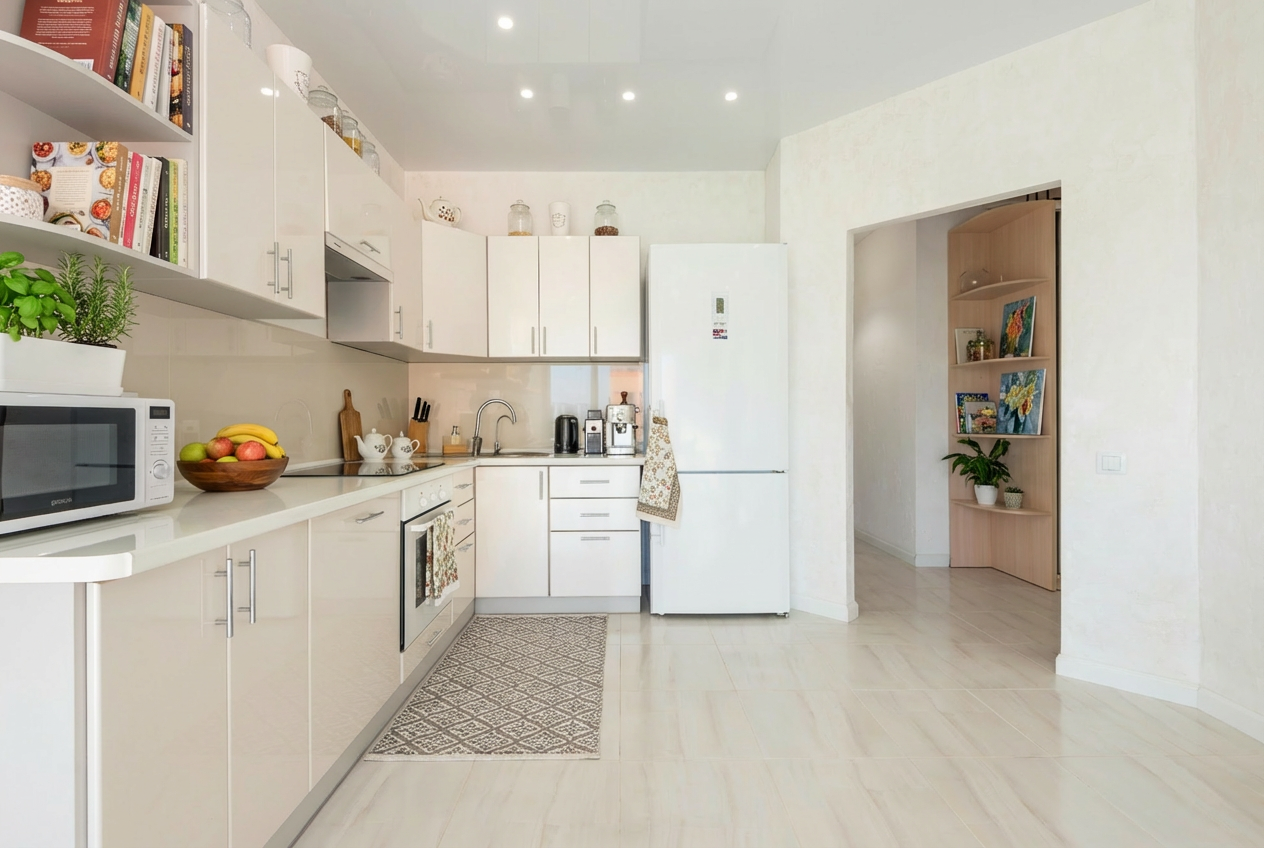
Want to show the customer what the space would look like with another type of floor? Or with walls of another color?
The image generator allows these changes without the need for works or a new photographic session.
✔ Test different wall colors
✔ Change floor types (wood, marble, vinyl)
✔ Modify finishes (doors, windows, footers)
✔ Try different styles of decoration
Practical Tips for Better Results
Be specific in descriptions
The more detailed your prompt, the better the results.
Mention specific colors, materials, styles and elements you want to see.
Use a reference image
Whenever possible, start with a real photograph of the space.
AI will have the right spatial context and the results will be more realistic.
Experiment with variations
If the first result is not perfect, adjust the prompt and try again.
Minor changes to the description can make a big difference.
Maintaining the Real Proportions
Ask AI to maintain the original structure and geometry of the space (walls, windows, doors) to avoid unrealistic distortions.
An Important Note on AI
Artificial intelligence tools are extremely useful and save time and money, But they are not perfect. Like any AI technology, they can occasionally make mistakes or generate what we call "hallucinations" — minor inconsistencies or elements that do not make sense in reality.
For example:
- Doors or windows in strange positions
- Objects with incorrect proportions
Reflections that do not correspond to space
- Impossible architectural details
The good news?
In most cases, the results are good enough for use in real estate marketing.
And when they are not, just adjust the prompt and try again.
The important thing is always review the generated images before using them in advertisements or presentations.
Conclusion
Virtual Home 360's AI Image Generator does not replace professional photography, but it is a extremely valuable complementary tool This allows for:
⁇ Save money in physical staging, external 3D renderings, and additional photo shoots
⁇ Save time when creating views in minutes instead of days or weeks
⁇ Increase conversions Showing the Real Potential of Spaces
⁇ Create multiple versions for different audiences at no additional cost
⁇ Try the AI Image Generator now
⁇ Use the prompts ready above to start with immediate results
⁇ Talk to us if you need help or have any questions