The solution to manipulate 360 images without having to resort to external programs
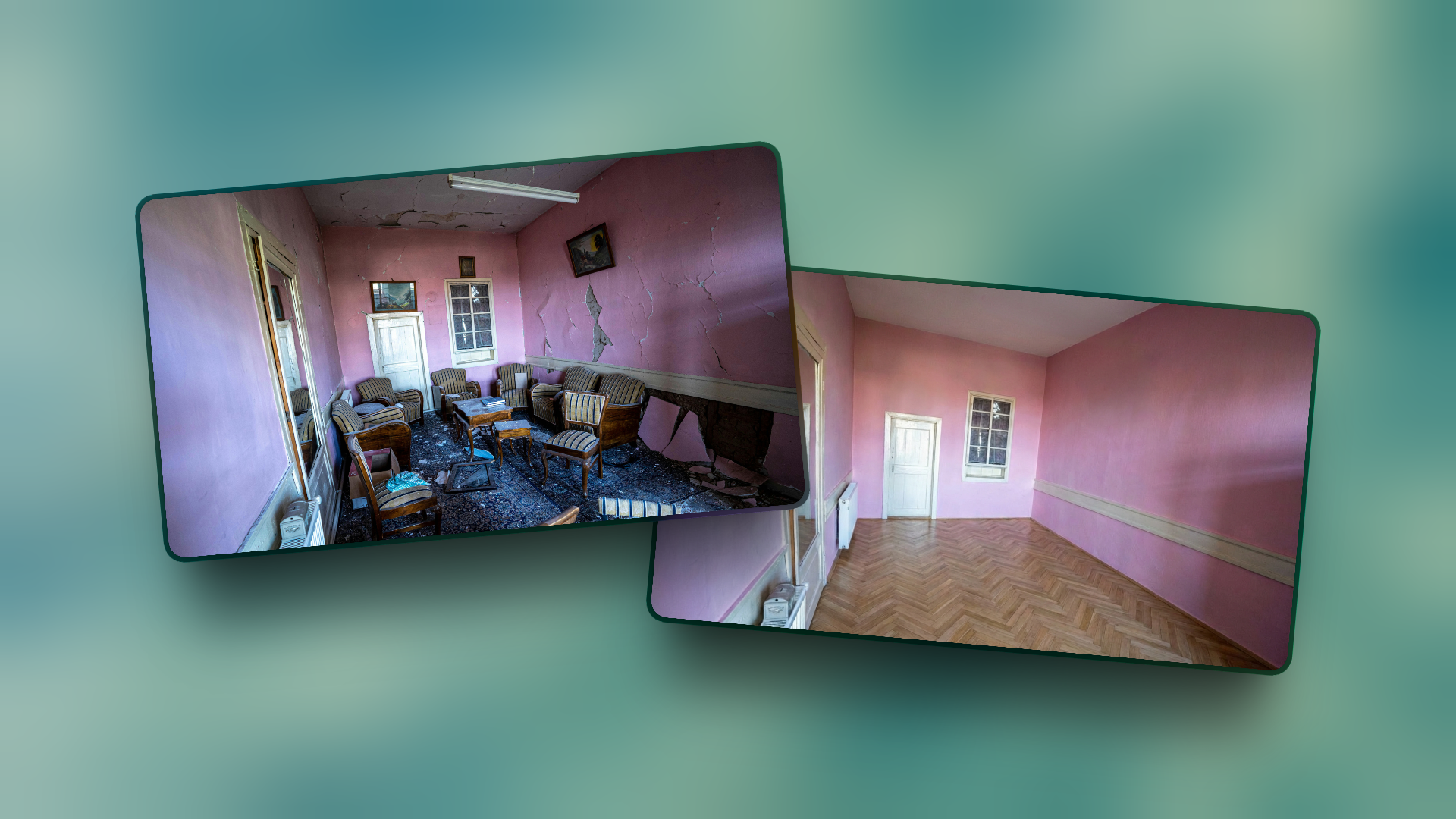
I'm sure you've had to take 360 photos in situations where the rooms were either messy, decorated out of season, or even caught people in the final photo...
With Virtual Home 360's 360 Photo Manipulation AI Tools, you can point to the zone you want to manipulate, write an order for whatever happens in that area, and solve the problem almost instantly.
This without having to go to the place to take a new photo
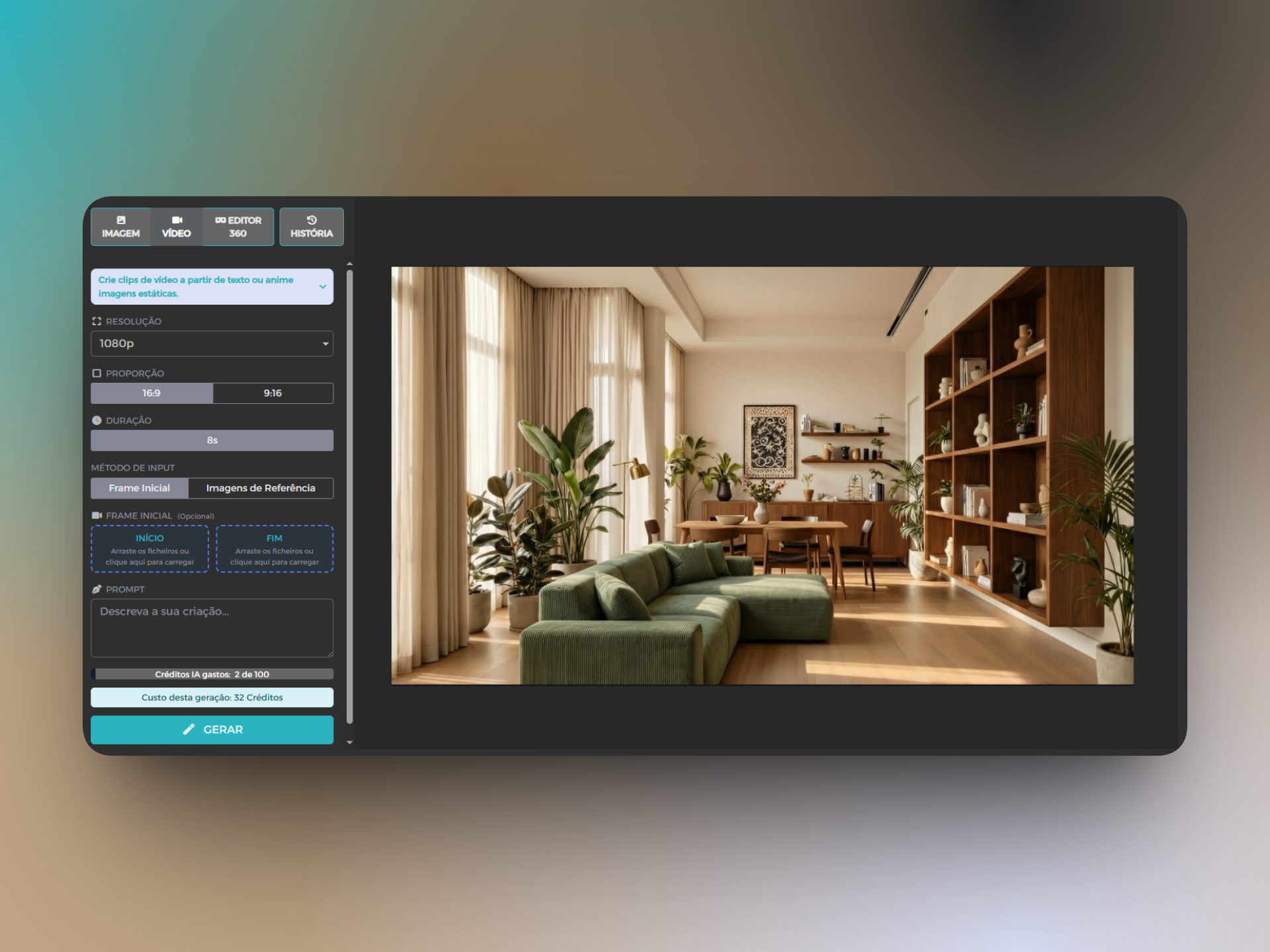
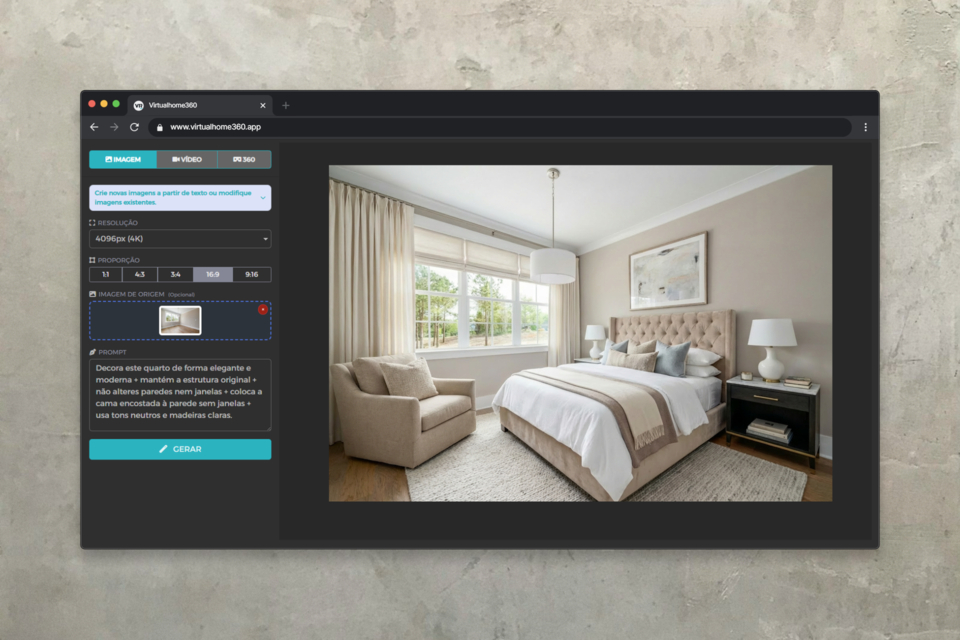
This tool uses artificial intelligence to modify images from plain text.
Describe what you want to see, and AI takes care of the rest.
Whether it is to remove an element in a space, add furniture, change the colour of a specific element – all this is within the reach of a simple text.
Removal of elements in the image
This situation serves for various types of situations...
- Off-season decorations or not very attractive.
People who were caught in the photo.
- remove furniture to empty a room...
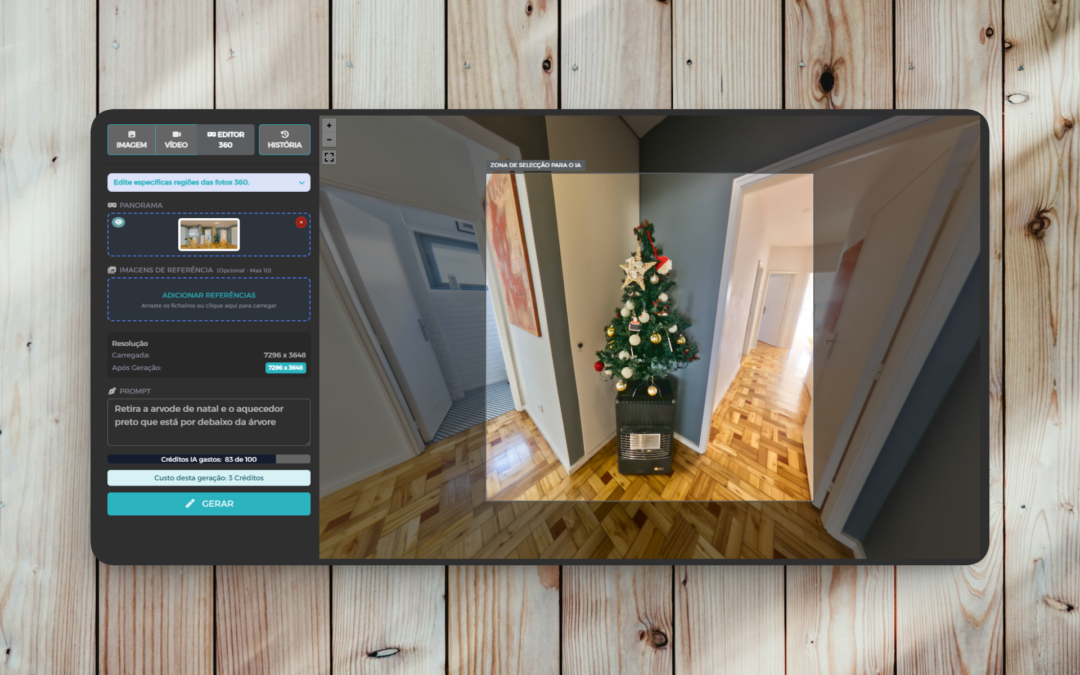
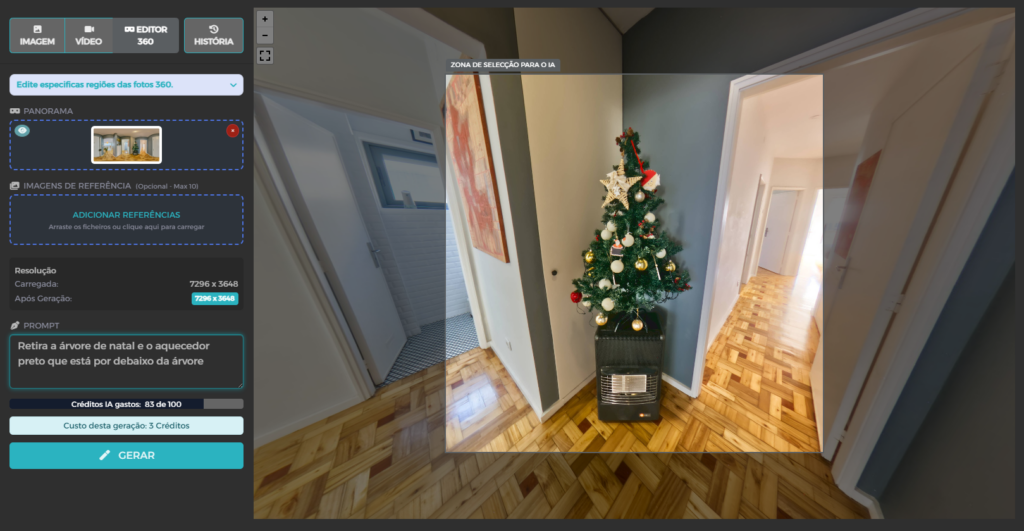
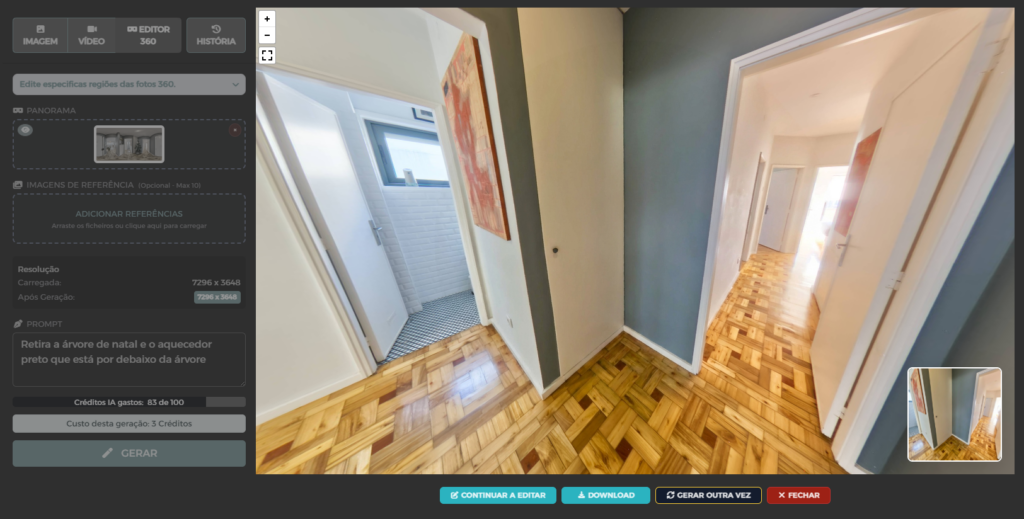
To do this, simply upload your 360 photo, point to the area you want to manipulate and write a prompt with the instruction of what you want.
Unlike other AI tools, the prompt used should be more direct to the situation and not something generic.
In this case, the instruction given was:
Remove the Christmas tree and the black heater under the tree.
Use reference photos to place or replace elements in a 360 photo
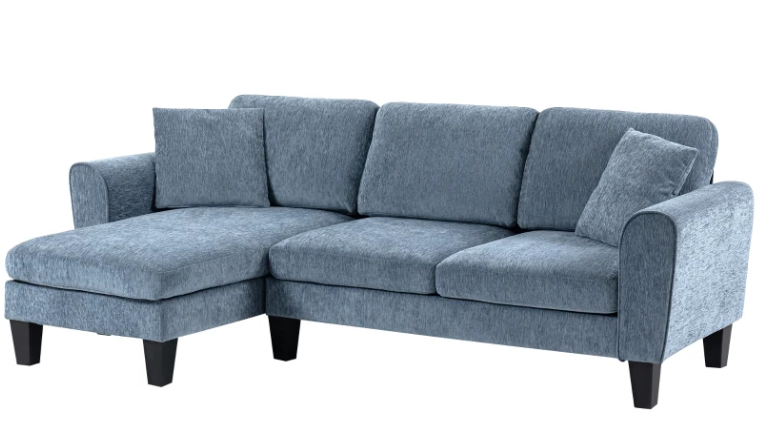
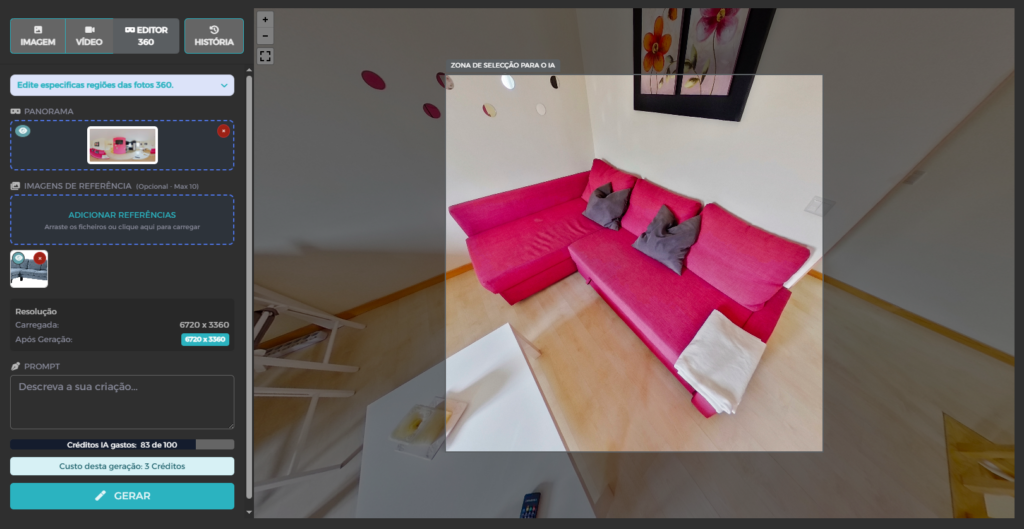
In a situation where it may be necessary to introduce/replace some type of element (as in this case where we chose to use a more neutral sofa), it is possible to use reference photographs so that we have more control over the modification we want to make.
As in the previous example, the prompt must be appropriate to the situation.
"replaces the red sofa with the reference sofa"
Reference image
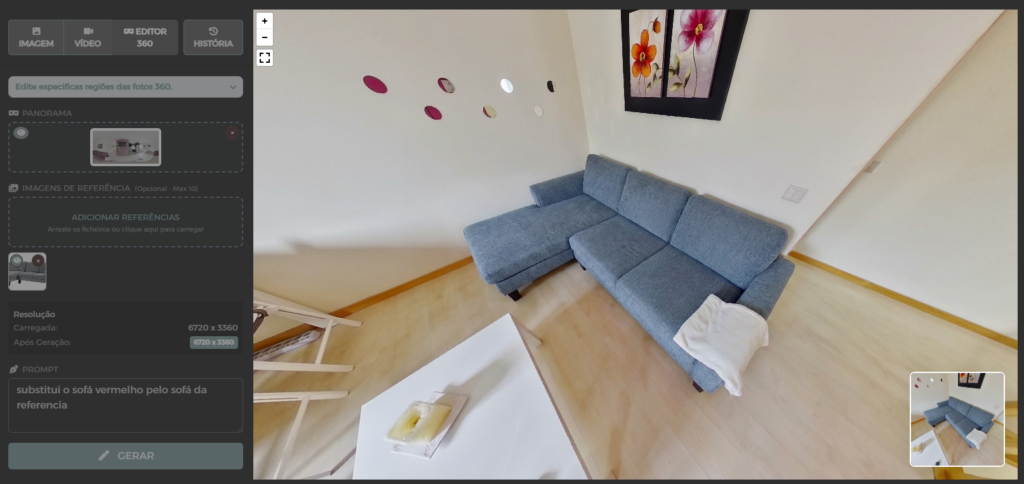
Make a correction in 360 photos
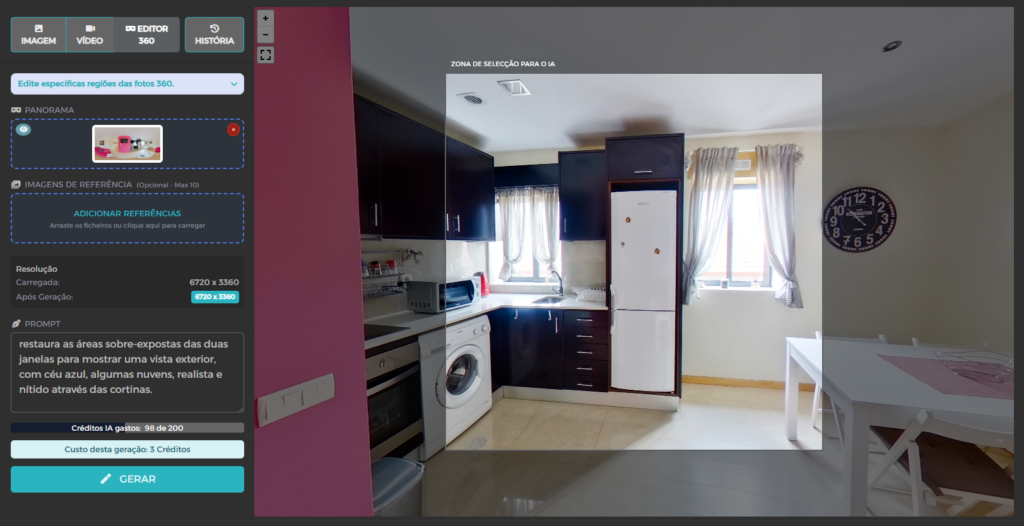
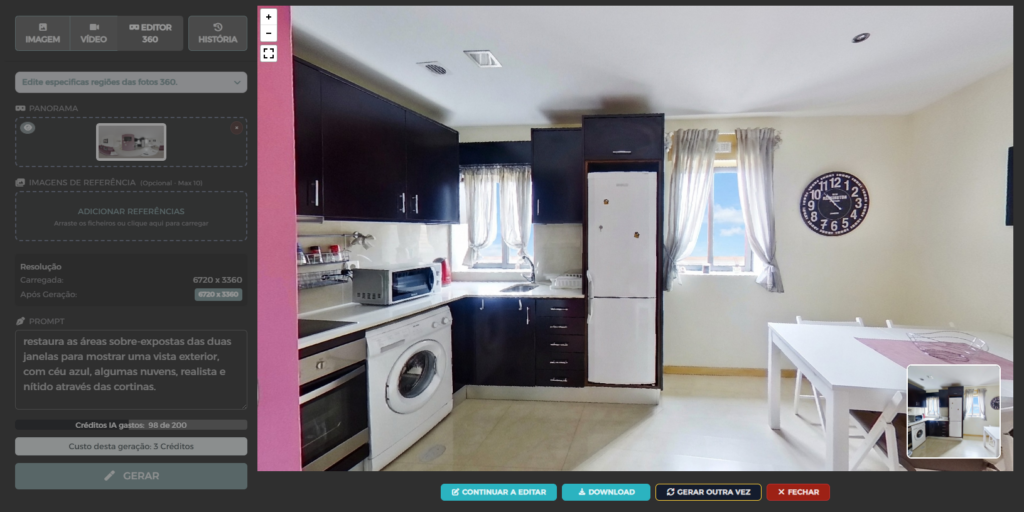
Something common when capturing 360 photos in rooms that have windows, are the windows getting over-exposed and what's out there getting completely white.
With the 360-edit AI tool you can recover these images with a simple prompt like the following.
Restore the over-exposed areas of the two windows to show an outside view, with blue skies, some clouds, realistic and crisp through the curtains.
An Important Note on AI
Artificial intelligence tools are extremely useful and save time and money, But they are not perfect. Like any AI technology, they can occasionally make mistakes or generate what we call "hallucinations" — minor inconsistencies or elements that do not make sense in reality.
For example:
- Doors or windows in strange positions
- Objects with incorrect proportions
Reflections that do not correspond to space
- Impossible architectural details
The good news?
In most cases, the results are good enough for use in real estate marketing.
And when they are not, just adjust the prompt and try again.
The important thing is always review the generated images before using them in advertisements or presentations.
Conclusion
Virtual Home 360's 360 image editing AI tool does not replace professional photography, but it is a extremely valuable complementary tool This allows for:
⁇ Save money in physical staging and additional photo shoots
⁇ Save time when creating views in minutes instead of days or weeks
⁇ Increase conversions Showing the Real Potential of Spaces
⁇ Create multiple versions for different audiences at no additional cost
⁇ Try the 360 image editing AI tool now
👉 Use the logic of the prompts shown above to start with immediate results
⁇ Talk to us if you need help or have any questions