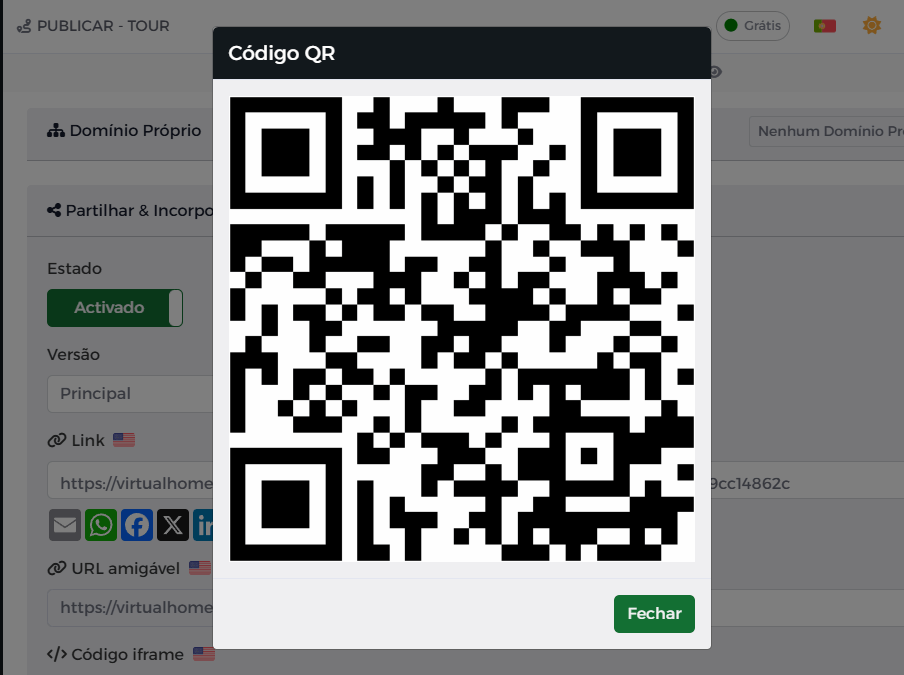
You can generate a QR code from any shareable link. To do this, it is sufficient to:
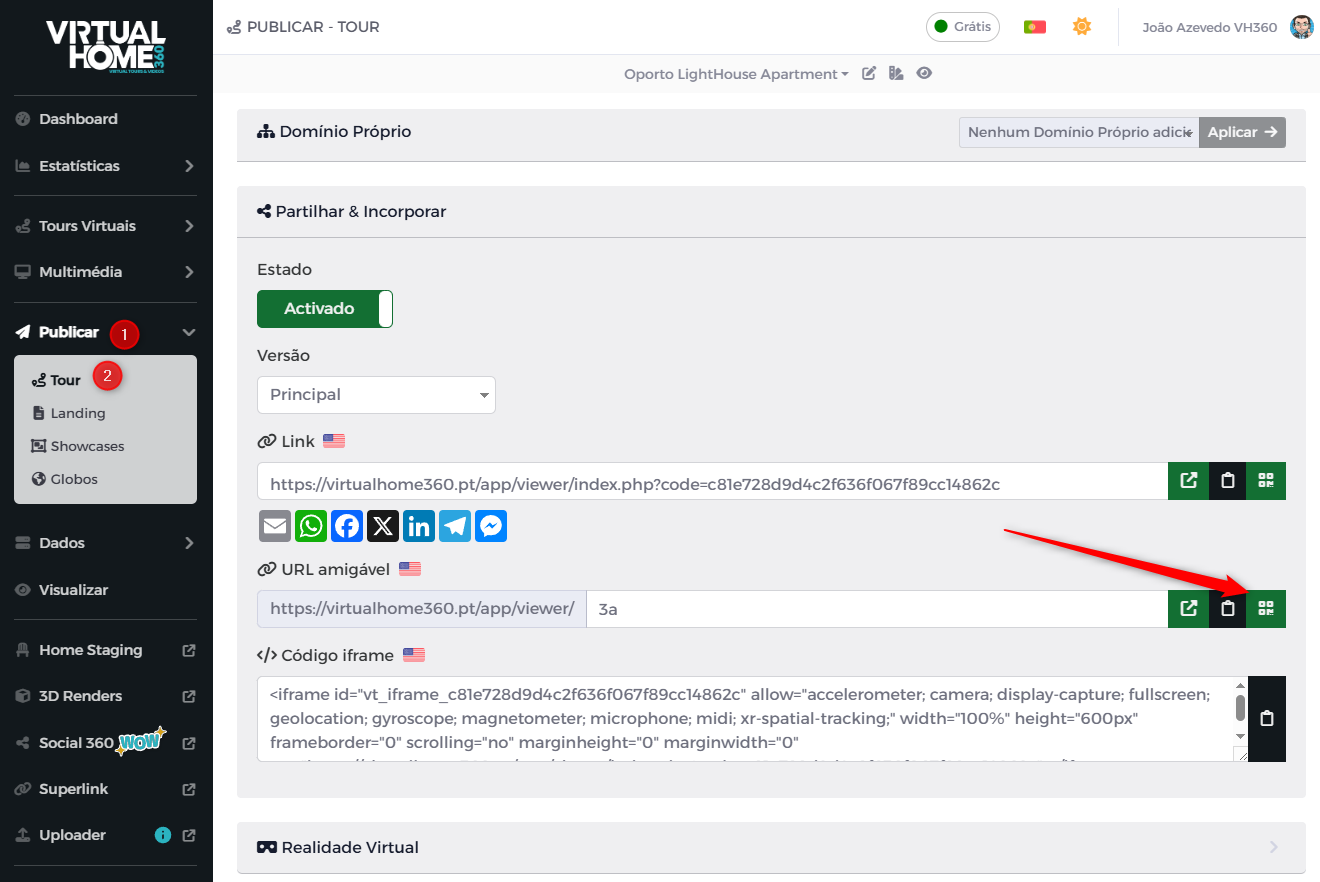
- On the menu Publish, go to menu tours to open the tour link sharing page;
- click on the ticked icon to generate the QR code;
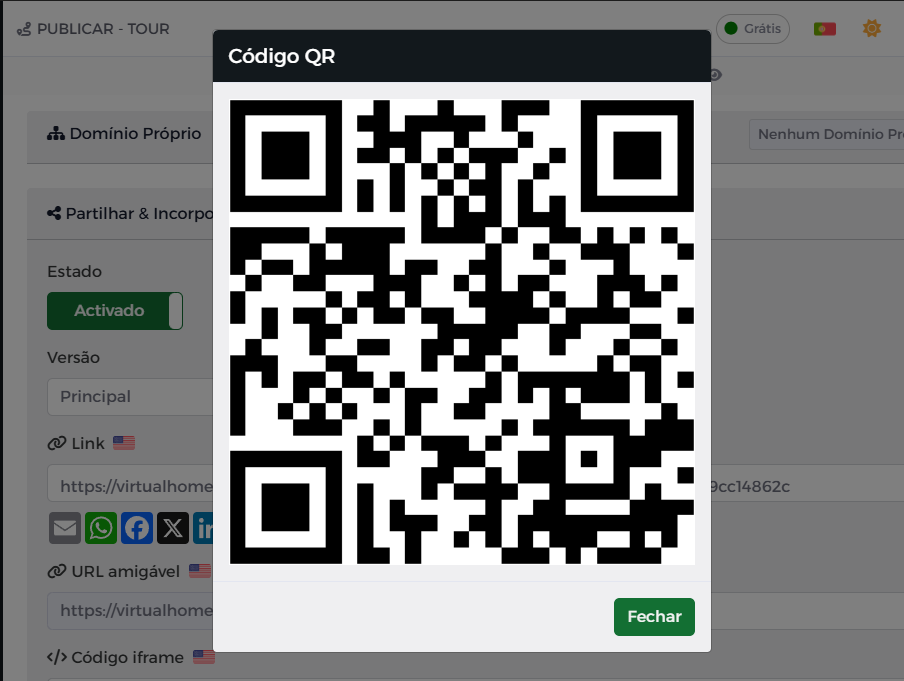
- A window will appear with the QR code generated;
- Right-click (continuously press the mobile version) to save the image.
QR code generation works on all shareable links from Tours, Showcases, and Landing Pages.